How to Summarize a Podcast Episode with AI

You publish an episode every week, and the part you put off is the writing: the three-sentence description, the takeaways, the chapters. The quickest way to summarize a podcast episode with AI is to get a transcript with speaker labels first, then ask for each output from that transcript. Every tool in this guide does that. What differs is whether they take your own file, whether a 45-minute episode fits, and how much you fix by hand afterwards.
Last updated 16 Nov 2026. Prices checked 15 Nov 2026.
TL;DR
- For your own episodes, we'd use Podsqueeze: one upload gives the summary, chapters with timestamps, takeaways and a transcript with speakers. There is a free plan with 30 minutes a month.
- For other people's shows, Snipd. It is a phone app, and it only takes your own files on Premium.
- For a library of recordings across shows or clients, Castmagic, with no free plan.
- For a single short recording, Otter, whose free plan caps each conversation at 30 minutes.
The case we'll use
One weekly interview, 45 minutes, a guest with an accent and a company name the transcript will probably get wrong, published every Tuesday. You want a description for the podcast apps, five takeaways for the site and chapters. That is about 195 minutes of audio a month, and it is the number to keep in mind, because monthly minutes and per-file limits are where most of these tools stop fitting.
One more distinction first. A listener wants the gist of someone else's episode. A host wants text to publish next to their own. Listener apps work on episodes already in their catalog. Host tools take your file, so they also work on unreleased episodes. Mixing the two up is the most common way to pick the wrong tool.
Why these four tools
These are the names podcasters keep landing on, and each leads at a different job. Between them they cover listening, publishing your own show, running a library and summarizing a one-off file.
- Podsqueeze says it is used by 70,000 content creators and podcast professionals. It takes an upload, an RSS feed or an Apple Podcasts, Spotify or YouTube link.
- Snipd is rated 4.7 out of 5 in the Apple App Store, and its pricing page says it has processed more than 1 million episodes.
- Castmagic says more than 100,000 podcasters and creators use it, and its site shows HubSpot, Yahoo Sports and Wistia among its customers.
- Otter is rated 4.8 out of 5 in the Apple App Store from about 89,000 ratings, and holds 4.5 out of 5 from 902 reviews on Trustpilot.
The five steps, and where each one goes wrong
1. Fix the audio before you upload
The summary is written from the transcript, and a transcript fails where your ears do: echo, a guest on laptop speakers, two people talking at once. Names go first. The guest's company becomes a different word and the summary repeats it with total confidence. If the recording is noisy, removing the background noise first takes a few minutes and saves more than that later.
2. Get the file in
Otter takes files only, up to 5 GB, with no YouTube or Spotify links. Snipd imports your files and YouTube videos only on Premium. Castmagic lists YouTube link import, but it has been failing for many people since the platform changed its terms, and the fix is the boring one: download and upload. Podsqueeze accepts files, YouTube links, Spotify and Apple Podcasts episode links and RSS feeds, which helps when the episode is already published.
3. Ask for outputs, not for "a summary"
Decide where the text will live. The description in podcast apps wants two or three sentences, the site wants a short list of takeaways, and listeners want chapters. A single "summarize this" gives you a medium paragraph that suits none of them, so ask for each output separately and check the chapter timestamps against the audio, since that is the part listeners tap.
4. Rename the speakers, then read it against the transcript
Most tools label speakers "Speaker 1" and "Speaker 2" until you rename them, and a summary generated before that inherits the labels. Rename first. Then skim for the three things that go wrong: names, numbers and attribution. Summaries swap which guest said what, turn one figure into another and sometimes link two ideas the host never linked.
5. Save the prompt
By the third episode you know the format you want. Podsqueeze saves tuning and prompts per show, and custom prompts are the feature Castmagic's fans mention most. Write the prompt once, with your show's tone and the format for description, takeaways and chapters, and the summary stops being a chore.
The four tools, measured against that show
| Takes your 45-minute file | Chapters | Cost for the weekly show | |
|---|---|---|---|
| Podsqueeze | Yes, file or link | Yes, with timestamps | Pro: $35 a month billed annually ($49 monthly), 320 minutes |
| Snipd | Premium only | Yes | Premium: $6.99 a month billed annually, 900 minutes of processing |
| Castmagic | Yes | Timestamped overviews | Hobby: $19 a month billed annually, 30 hours in total |
| Otter | Pro only | An outline, not podcast chapters | Pro: $8.33 a month billed annually |
Podsqueeze
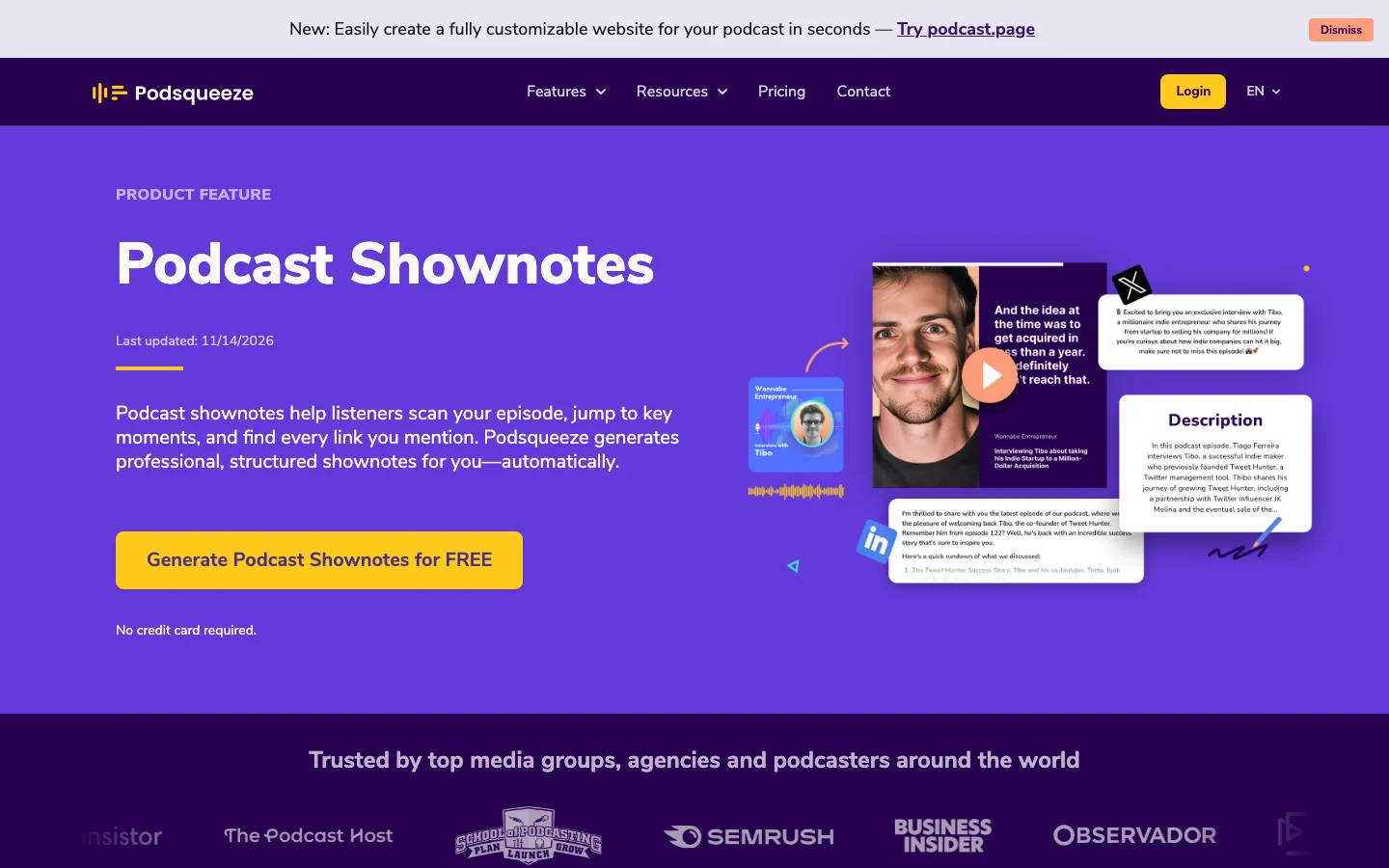
Podsqueeze turns an episode into a summary, chapters with timestamps, key takeaways, resources and suggested titles, with a transcript with speaker labels beside them. The same upload can also produce a blog post, a newsletter and social posts.
 The Podsqueeze shownotes page, checked 15 Nov 2026.
The catch is minutes. Free is 30 minutes a month, one short episode. Starter is $5.99 a month billed annually ($8.99 monthly) with 120 minutes, which our show outgrows by the third episode of the month. Pro gives 320 minutes and keeps unused ones for up to three times the allowance. Even a weekly 30-minute show comes to about 130 minutes, just over Starter, so count before you pick. The text is a first draft that needs the read from step 4, and Podsqueeze doesn't record or edit, so it sits after whatever you record in. Against Snipd, it is the one that works on your own unreleased episodes; against Castmagic, it is cheaper for one show.
Snipd
Snipd is a podcast app for people who listen and want to keep what they learn. You tap your headphones to save a moment, and it stores the audio, the transcript and a summary of that part. It exports to Readwise, Notion and Obsidian, which is why researchers like it.
 The Snipd pricing page, checked 15 Nov 2026.
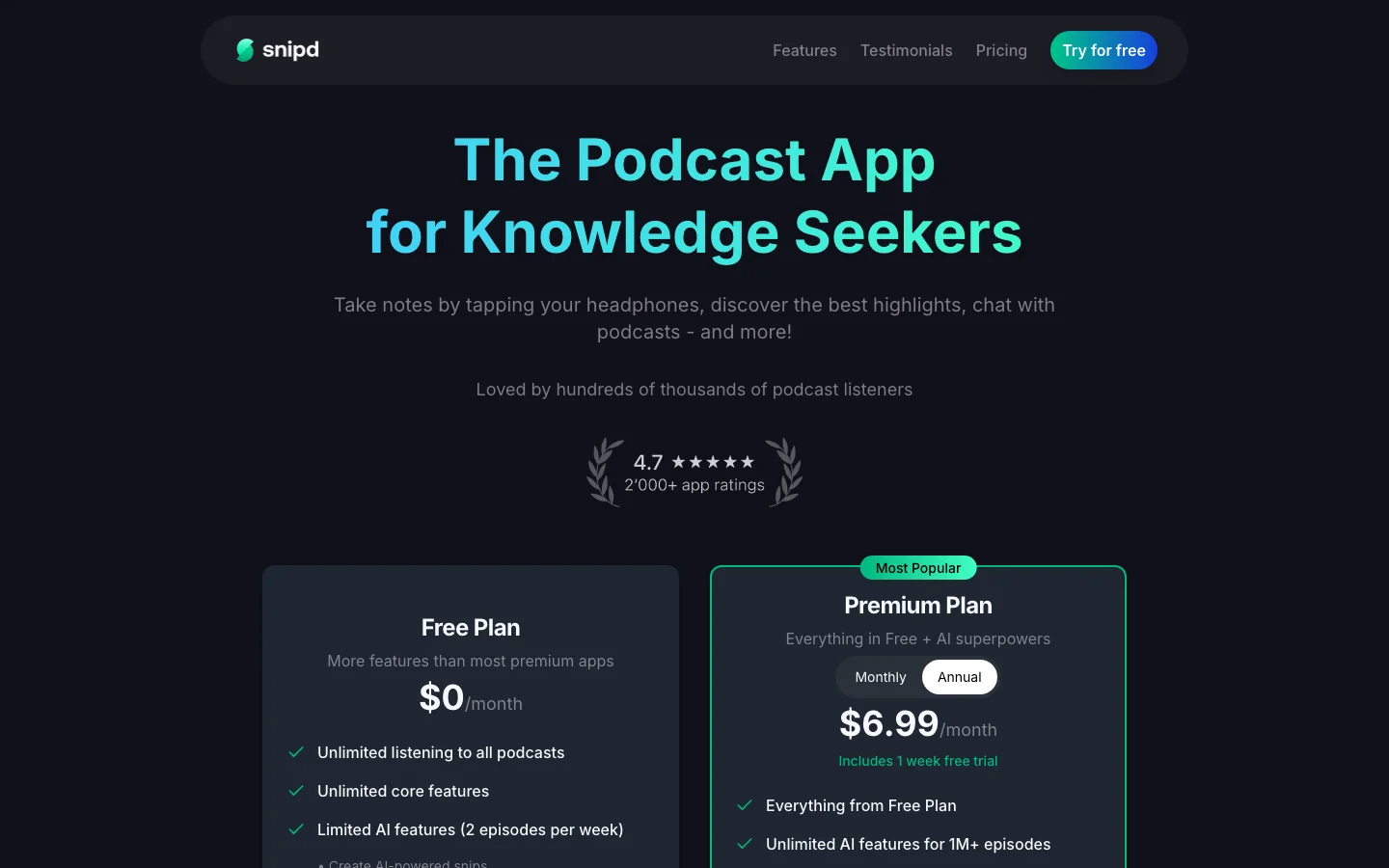
The free plan has unlimited listening and AI on 2 episodes a week. Premium is $6.99 a month billed annually ($11.99 monthly), with unlimited AI on episodes it has already processed and 900 minutes a month for ones it hasn't, which is twenty 45-minute episodes. The catch is that it lives on your phone: no web or desktop version, a chat that works on one episode at a time, and an interface busy enough that some find it heavy. For a host's own show notes it is the wrong tool, and it is a good one for listening.
Castmagic
Castmagic turns recordings into a library of written content: summaries and takeaways, timestamped overviews, show notes, articles, newsletters and social posts, plus a chat for asking questions about a recording.
 The Castmagic pricing page, checked 15 Nov 2026.
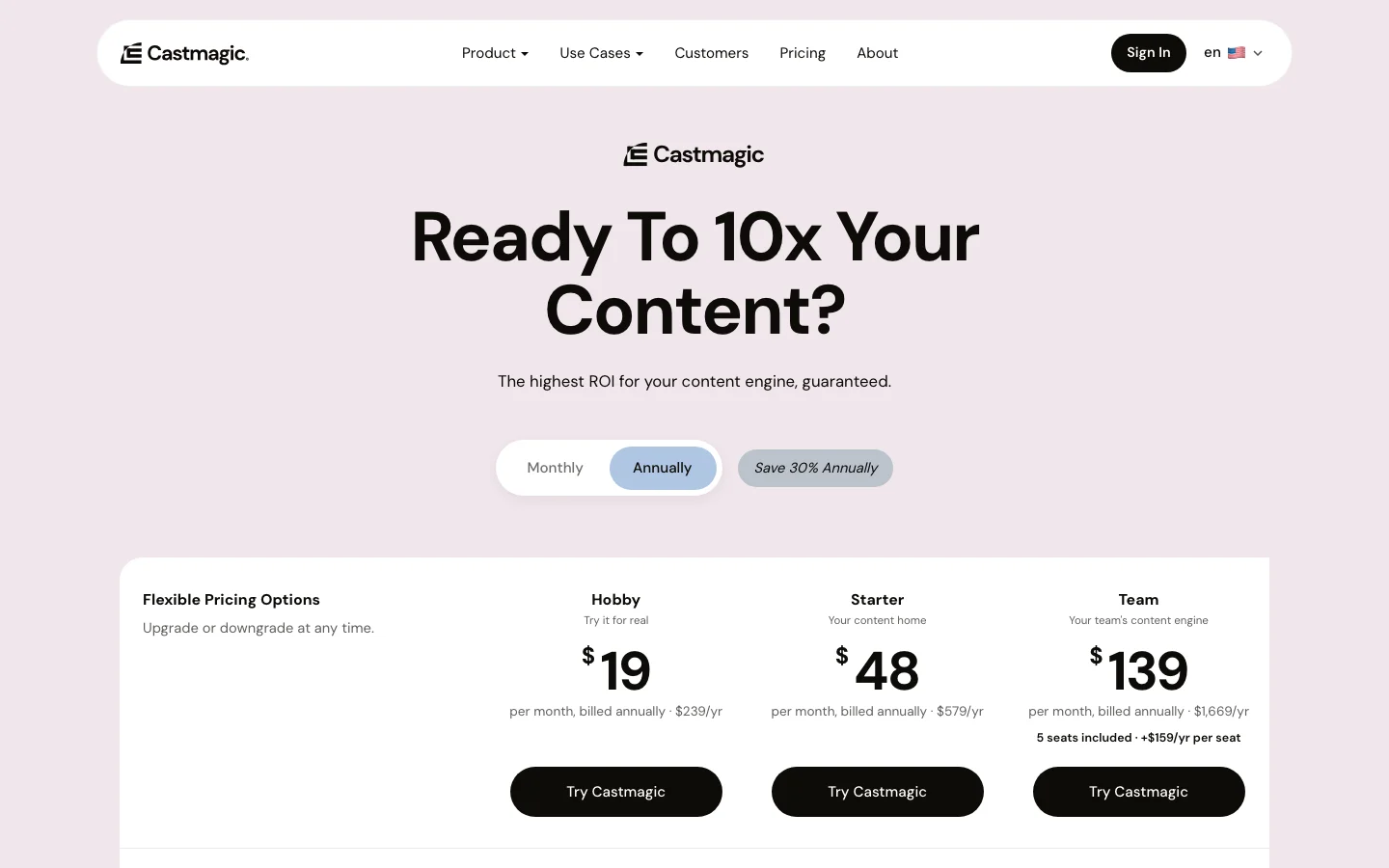
Hobby counts 30 hours as a library total, which is forty 45-minute episodes, and Starter is $48 a month billed annually for 100 hours and several workspaces. There is no free plan and no direct publishing, so the show notes get pasted into your host. Skeptics point out that a chat assistant with a good prompt gets similar text, and they're right for a single show. What Castmagic adds is the library, the saved prompts and the workspaces, which matter once you have clients.
Otter
Otter is a meeting assistant that also imports audio and video files, and that import is what podcasters use.
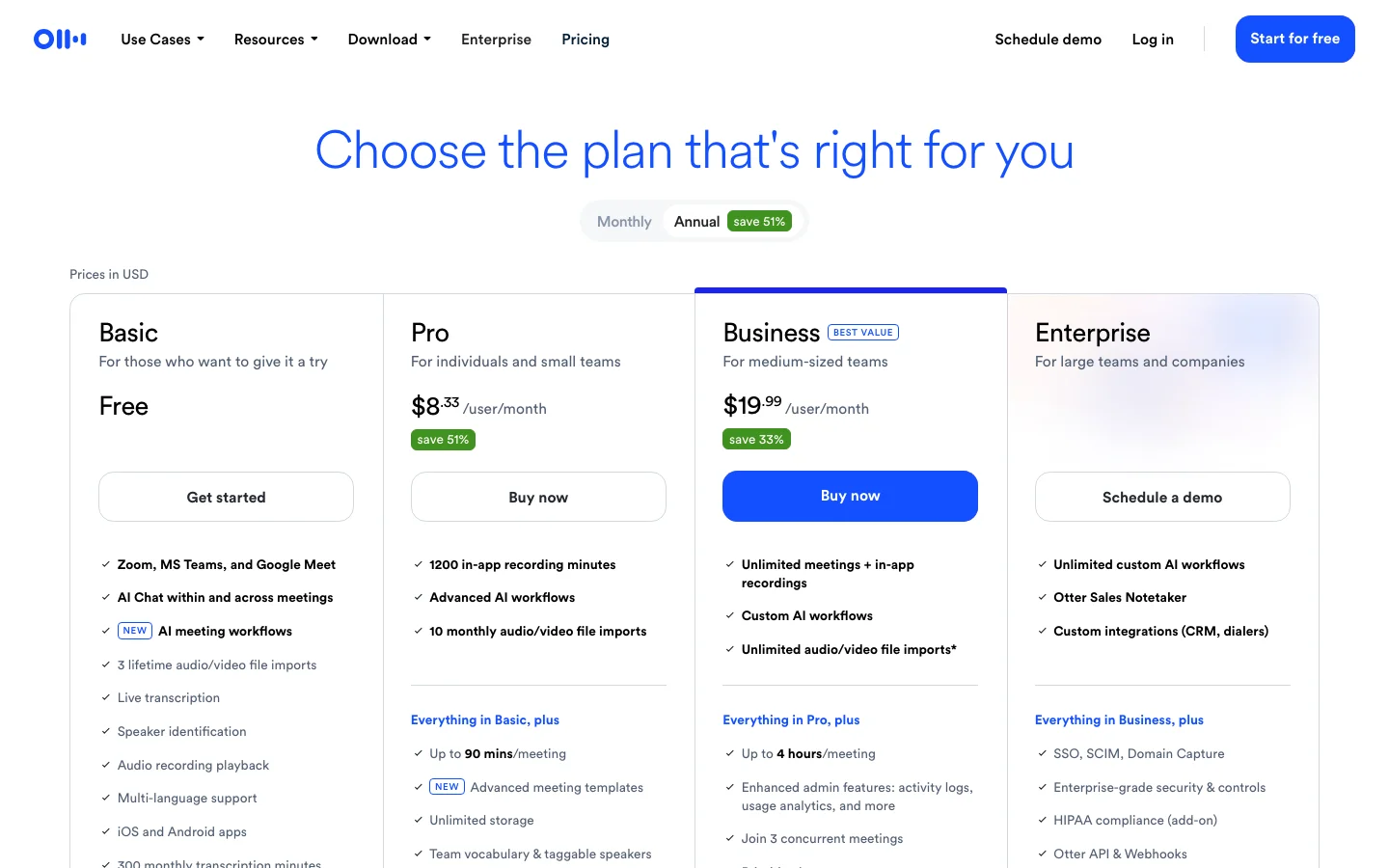 The Otter pricing page, checked 15 Nov 2026.
The free Basic plan allows 300 minutes a month, but each conversation is capped at 30 minutes and only 3 file imports are allowed in total on the account, not 3 a month. Our 45-minute episode doesn't fit. Pro is $8.33 per user per month billed annually ($16.99 monthly), with 1,200 minutes, 10 imports a month and 90 minutes per conversation, which does. It transcribes in six languages, and the recurring complaint is accuracy once there is crosstalk or an accent, with speakers left as "Speaker 1". Adding the guest's name to custom vocabulary before you upload helps; Basic gives 5 terms and Pro 100. It is the right tool for a one-off summary, and it won't give you show notes or social posts.
The chat-assistant route
You can also paste a transcript into a general chat assistant. A 45-minute episode is around 7,000 words, so it often fits, but a 90-minute one may not, and you still need the transcript first and carry the checking yourself. It works as the last step on top of one of the tools above.
What we'd pick
For the weekly show, Podsqueeze on Pro: it takes the file, returns everything in one pass and is the only one of the four built around your own episodes. If you listen more than you publish, Snipd. If you run several shows for clients, Castmagic. If you have one file under 90 minutes and need a summary today, Otter Pro. Whichever you choose, rename the speakers first and read the result against the transcript before it goes live. For a wider look at the tools around the episode, see podcast enhancement tools beyond audio cleanup.
FAQ
Can AI summarize a podcast episode for free?
Yes. Podsqueeze's free plan covers 30 minutes a month, Snipd's includes AI on 2 episodes a week, and Otter's allows 300 minutes a month with a 30-minute cap per conversation. A 45-minute episode exceeds Podsqueeze's free minutes and Otter's cap, so a weekly show ends up on a paid plan.
Can I summarize a podcast from a Spotify or Apple Podcasts link?
Podsqueeze accepts Spotify and Apple Podcasts episode links, as well as YouTube links and RSS feeds. Snipd works inside its own app and catalog, and Otter takes files only.
What if my episode is longer than the tool's limit?
Check the per-file cap, not only the monthly minutes. Otter's cap is 30 minutes on Basic and 90 on Pro. The quick fix is splitting the file, which gives you two summaries to merge.
What is the difference between a summary and show notes?
A summary is a short description of the episode. Show notes usually add chapters with timestamps, key takeaways, links and guest details.