Audio Enhancer for Android
The AI audio enhancer Android users trust — record, clean up, and download studio-quality sound
Looking for an audio enhancer on Android? Download our app to record and enhance on your phone, or continue on the web to upload files from any device. Remove background noise, fix echo, and improve voice clarity with one tap.


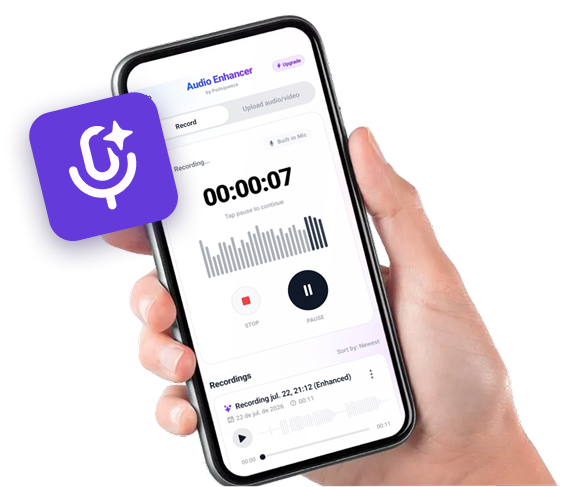
Available as app for android
Record on your phone.
Sound like you're in a studio.


Hear the Difference
Compare the original audio with the AI-enhanced version
Podcast with Background Noise
Original audio with background noise
Recording with Echo
Original audio with background noise
Audio with Irregular Volume
Original audio with background noise
Ready to enhance your audio?
Android Audio Enhancer Features
Everything you need to record and enhance audio on your phone

In-App Audio Recorder
Record voice and performances directly on Android
AI Noise Removal
Remove background noise and room tone automatically
Echo & Reverb Reduction
Clean up echo and reverb from phone recordings
Volume Normalization
Balance loudness for consistent playback
Video Audio Support
Enhance audio tracks in video files from your phone
Cloud Processing
Fast AI enhancement without draining your battery
Who Uses Our Audio Enhancer on Android?
Podcasters recording on the go?
Record episodes on your Android phone and clean them up instantly. Remove room noise and uneven volume without opening a DAW.
- ✓AI noise removal
- ✓Built-in Android recorder
- ✓Echo and reverb reduction
- ✓Download or use on web
YouTubers fixing video audio?
Upload video files from your phone and improve dialogue clarity. Great for vlogs, shorts, and voiceovers recorded on mobile.
- ✓AI noise removal
- ✓Built-in Android recorder
- ✓Echo and reverb reduction
- ✓Download or use on web
Journalists and interviewers?
Capture interviews in the field and enhance them before publishing. Clear voices even in noisy environments.
- ✓AI noise removal
- ✓Built-in Android recorder
- ✓Echo and reverb reduction
- ✓Download or use on web
Anyone with rough voice memos?
Turn quick phone recordings into clear, shareable audio. Perfect for ideas, meetings, and personal notes.
- ✓AI noise removal
- ✓Built-in Android recorder
- ✓Echo and reverb reduction
- ✓Download or use on web
ANDROID AUDIO ENHANCEMENT
Enhance audio on Android with AI — app or web
Built-in audio recorder on Android
Record voice memos, interviews, and podcast clips directly in the app. Your recordings are ready to enhance in one tap — no switching between apps.
AI noise removal and voice cleanup
Remove background noise, reduce echo, and balance volume automatically. The same AI engine powers both the Android app and the web tool.
Upload from your phone or desktop
Enhance existing audio and video files from your Android gallery, or use the web version on any browser. Preview before and after, then download polished audio.
SIMPLE ANDROID WORKFLOW
How to use the audio enhancer on Android
1. Download the Android app
Get Audio Enhancer and Recorder from Google Play. Sign in with your email or Google account to sync your enhancement history.
2. Record or upload
Record audio directly in the app, or upload existing audio and video files from your phone.
3. Enhance and download
Let AI remove noise, reduce echo, and improve clarity. Compare original vs enhanced, then download your polished audio.

FREQUENTLY ASKED QUESTIONS
FAQ
Is the Android app free?
You can download the app for free and try AI enhancement. A free preview is available; full-length downloads require a subscription, same as the web version.
Does the app require audio editing skills?
No. Upload or record, tap enhance, and download. No timelines, waveforms, or manual editing required.
Can I use the same account on web and Android?
Yes. Sign in with the same Audio Enhancer account to access your enhancement history across the Android app and the website.
Related features
Contact
For questions, feedback, or feature requests email support@podsqueeze.com.