Podcast Enhancement Tools Beyond Audio Cleanup

When people say they want to enhance a podcast, they usually mean the sound. Cleaner dialogue, less noise, more professional levels. That matters, but it is only one part of a publish-ready episode.
A strong podcast workflow also covers editing, show notes, transcripts, clips, and a place for listeners to find the show. Clean audio gets people to stay. The rest of the stack helps them discover you, share you, and come back.
This guide walks through podcast enhancement tools that sit around a dedicated AI audio enhancer, including editing, packaging, and website tools that solve the jobs audio cleanup alone cannot.
What podcast enhancement actually means
Podcast enhancement is the set of steps that turn a raw recording into something listeners can enjoy and platforms can surface.
In practice, that usually includes:
- Cleaning and balancing the voice
- Cutting mistakes, silences, and filler words
- Writing episode notes and key takeaways
- Creating a searchable transcript
- Repurposing long episodes into short clips
- Publishing the episode on a show website with listen links
If you only improve the waveform, you still have to finish the episode by hand. The tools below each handle a different layer of that process.
Start with clean audio
Sound quality is still the foundation. Background noise, room echo, plosives, and uneven levels make even a great conversation feel amateur.
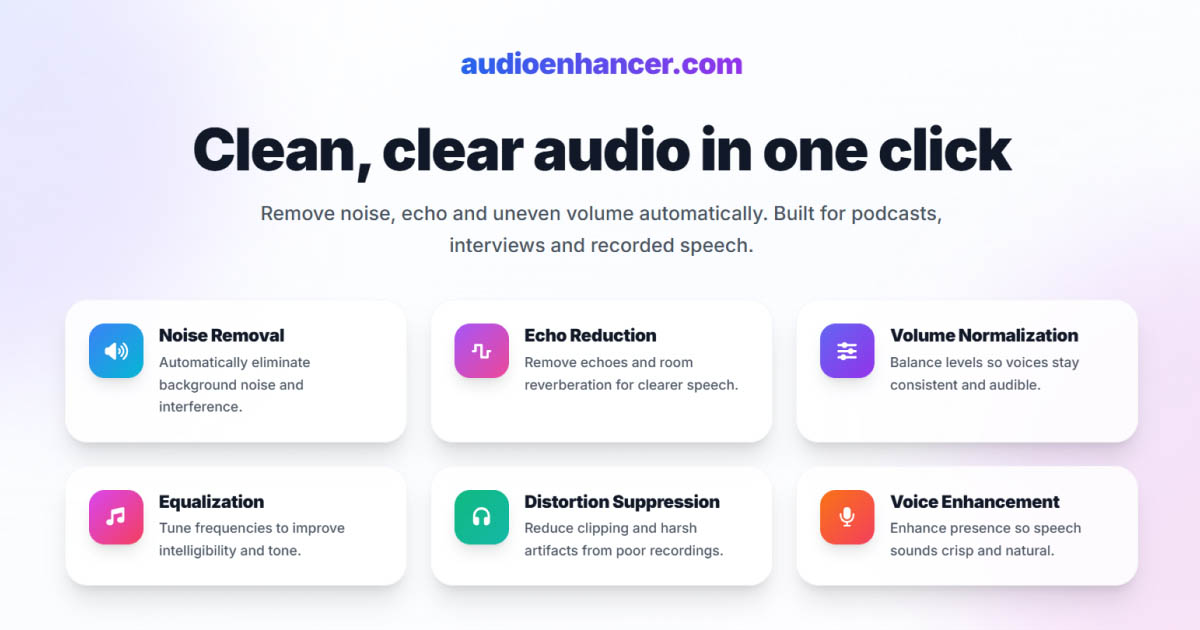
A focused tool like AudioEnhancer.com is built for that job: upload a recording, process it, and download cleaner speech without turning the edit suite into a mastering project. It is especially useful when the voice is still clear but the room, mic, or remote setup made the take messy.
If you are comparing approaches across the market, our roundup of the best audio enhancement tools covers how dedicated enhancers differ from broader production platforms.
Use a dedicated enhancer when:
- The episode structure is already fine
- You mainly need noise, echo, and clarity fixes
- You want a simple upload-process-download flow
Once the audio is listenable, the next bottleneck is usually structure and packaging.
Edit the episode without living in a waveform
Cleaning audio does not rearrange an interview, remove long pauses, or cut a cold open. That is editing work.
Traditional DAWs can do it, but many podcasters prefer text-based editing when the goal is speed. An online audio editor like Audio Editor Pro is designed for that browser workflow: upload a file, edit from the transcript, remove silences and filler words, enhance clarity, and export without installing desktop software.
That matters when you want to:
- Cut by selecting words instead of scrubbing waveforms
- Tighten dead air after a remote interview
- Layer intros, music, or voiceovers on a simple multi-track timeline
- Keep editing and light enhancement in one place
Audio editing and AI restoration solve different problems. One shapes structure and timing. The other restores sound quality. If you are deciding which to prioritize first, the distinction in audio editing vs AI enhancers is a useful mental model.
A practical sequence for many shows is:
- Edit structure and pacing
- Enhance the voice for clarity
- Export the final mix
Some creators reverse steps one and two when the raw recording is hard to listen to. Either order works as long as you keep original files and avoid over-processing.
Package the episode with show notes and transcripts
After the audio is ready, listeners still need a reason to click and a way to skim what they heard. Search engines and platforms also reward text that describes the episode clearly.
A podcast show notes generator like Shownotes Generator turns an episode or video into a transcript and ready-to-publish notes. That covers the packaging layer most audio tools ignore:
- Word-for-word transcripts for accessibility and search
- Episode summaries and key takeaways
- Copy you can paste into your host, CMS, or newsletter
This is especially useful for weekly shows where writing notes by hand becomes the slowest part of publishing. Clean audio keeps people listening. Clear notes help people find the episode and decide to press play.
Use a dedicated show notes tool when:
- Your audio enhancer stops at the file download
- You already have an editor you like
- You need SEO-friendly episode text without rebuilding your whole stack
Use an all-in-one podcast production suite when the whole workflow is the problem
Some creators do not need five separate tabs. They need one system that moves from cleanup to content.
Podsqueeze is built as that broader podcast production layer. Beyond audio enhancement, it focuses on transcription, text-based editing, show notes, social posts, blogs, newsletters, and short clips from long episodes. The value is less about one isolated feature and more about keeping post-production and promotion in the same workspace.
That approach fits well when you:
- Publish on a recurring schedule
- Manage more than one show
- Need clips and social copy every week
- Want enhancement, transcripts, and repurposing connected
It is less necessary if you only clean an occasional file and already have a writing and editing process you like. In that case, a focused enhancer plus a show notes tool may be enough.
Give the show a home on the web
Hosting platforms distribute episodes. A podcast website gives the show a branded destination with episode pages, listen links, and room to grow an email list.
A podcast website builder like podcast.page is designed around RSS rather than generic page builders. You import the feed, choose a template, customize sections, and publish. New episodes sync automatically when the feed updates, which removes a common maintenance chore.
That becomes more important as video podcasting grows. Discovery often starts on YouTube or social platforms, but a clean site still helps with branding, sponsorship pages, and converting casual listeners into subscribers. The industry shift toward visual audio is covered in our video podcasting statistics breakdown.
A dedicated podcast site is worth it when:
- Your show only lives on host landing pages
- You want a custom domain and branded episode pages
- You need analytics, newsletter signup, or listen-link sections without rebuilding WordPress
How the tools fit together
These tools are complementary, not interchangeable. A useful way to choose is to match the tool to the bottleneck you feel every week.
| Bottleneck | What you need | Tool type |
|---|---|---|
| Noisy or echoey takes | Speech cleanup and leveling | Dedicated audio enhancer |
| Long, messy rough cuts | Transcript editing, silence and filler removal | Online audio editor |
| Blank episode descriptions | Summaries, takeaways, transcripts | Show notes generator |
| Too many disconnected apps | Enhancement plus content and clips | Podcast production suite |
| No branded destination | RSS-synced site and episode pages | Podcast website builder |
A lean stack for many independent shows looks like this:
- Record and edit structure
- Enhance the final mix
- Generate show notes and a transcript
- Publish to your host and update the show site through RSS
A heavier stack makes sense for agencies and multi-show producers who want clips, social posts, and client-ready packaging in one place.
Choosing the right mix for your show
There is no single best podcast enhancement tool for every creator. The right mix depends on how much of the post-production burden you want to automate.
Choose a dedicated audio enhancer when sound quality is the only gap and you want the least friction. Choose an online editor when the rough cut takes longer than the cleanup. Choose a show notes generator when writing episode pages is the recurring delay. Choose a full production suite when enhancement, packaging, and promotion all compete for the same afternoon. Choose a podcast website builder when distribution is fine but the show still lacks a clear home on the web.
If you already use AudioEnhancer.com for cleanup, the natural next upgrades are usually editing speed, episode packaging, and a site that updates itself. That is where tools like Audio Editor Pro, Shownotes Generator, Podsqueeze, and podcast.page fit: they enhance the episode experience around the audio, not only the audio itself.
Final takeaway
Podcast enhancement is bigger than noise removal. Clean speech is the foundation, but listeners also respond to tight edits, clear notes, searchable transcripts, shareable clips, and a professional show page.
Start with the layer that slows you down most. Fix that first, then add tools only where they remove real friction. The goal is not to collect apps. The goal is a repeatable path from rough recording to an episode people can find, trust, and finish.