Vocal Remover Online
AI-powered vocal isolation and stem separation — extract vocals, instrumentals, drums, and bass from any track
Separate vocals from music instantly with AI-powered stem separation. Extract vocals, instrumentals, drums, bass, and other stems from any song. Create karaoke tracks, acapellas, or remix-ready stems in seconds — all online, no software needed.


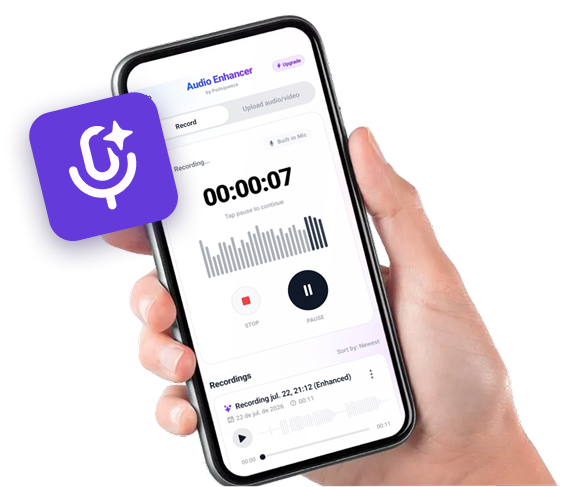
Available as app for android
Record on your phone.
Sound like you're in a studio.


Hear the Difference
Compare the original mix with AI-separated stems
Full Mix vs Vocals Only
Original mixed audio with all instruments and vocals
Full Mix vs Instrumental
Original mixed audio with all instruments and vocals
Full Mix vs Drums Only
Original mixed audio with all instruments and vocals
Ready to separate your own tracks?
Complete Vocal Removal & Stem Separation Features
Everything you need to isolate and separate audio sources

Vocal Removal
Remove vocals cleanly from any song or recording
Instrumental Extraction
Get clean backing tracks without any vocal content
Drum Isolation
Separate drum tracks from the full mix
Bass Extraction
Isolate bass lines from songs
Multi-Stem Output
Get vocals, drums, bass, and other stems separately
High-Quality Output
Studio-grade AI separation preserving audio fidelity
Solutions for Every Need
Whether you're a musician, content creator, or karaoke fan, we have the right tool for you
Need to create karaoke tracks?
Remove vocals from any song to create professional karaoke-ready instrumental tracks. Sing along to your favorite songs or use backing tracks for live performances.
- ✓Clean vocal removal from any song
- ✓High-quality instrumental output
- ✓Works with any music genre
- ✓Instant online processing
Need stems for remixing or sampling?
Extract individual instrument stems for music production. Get separate tracks for vocals, drums, bass, and other instruments for remixing, sampling, or mashups.
- ✓Multi-stem separation (vocals, drums, bass, other)
- ✓Studio-quality AI separation
- ✓Perfect for producers and DJs
- ✓Export individual stems
Need an acapella from a song?
Extract clean vocal tracks from any song. Get isolated acapellas for your projects, practice, or analysis — no manual editing needed.
- ✓Clean acapella extraction
- ✓Preserves vocal quality
- ✓Works with any genre
- ✓Fast AI processing
Need to isolate specific instruments?
Separate drums, bass, or any instrument from a mix. Perfect for music education, transcription, or creating practice tracks without specific instruments.
- ✓Drum isolation
- ✓Bass extraction
- ✓Instrument-only tracks
- ✓Educational analysis tools
AI-POWERED VOCAL SEPARATION
Remove vocals and split stems from any song automatically
Extract vocals or instrumentals instantly
Our AI vocal remover uses state-of-the-art deep learning (Demucs) to separate vocals from music with studio-quality results. Get clean acapellas or backing tracks in just a few clicks.
Create karaoke tracks in seconds
Turn any song into a karaoke-ready instrumental track. Our AI removes vocals cleanly while preserving the full instrumental mix, so you can sing along or use the backing track for your projects.
Multi-stem separation for producers
Go beyond simple vocal removal — extract drums, bass, vocals, and other instrument stems separately. Perfect for remixing, sampling, or isolating specific parts for music production.
EASY VOCAL REMOVAL
How to remove vocals from a song with our AI tool
1. Create your account
Sign up for your account. It only takes a few seconds, includes a free trial with free conversions, and no credit card is required to get started. Once inside, subscribe to the plan that best fits your needs.
2. Upload your song or audio file
Upload an audio file, choose Audio Enhancement or Music Enhancement, and start processing. (Dedicated vocal stem separation in the uploader is temporarily unavailable.)
3. Download your enhanced audio
In just a few minutes, your processed file will be ready for download so you can use it in your project or publish it to your platform.

LEARN MORE ABOUT VOCAL REMOVAL
Frequently Asked Questions
How accurate is AI vocal removal?
Our AI vocal remover uses Demucs, a state-of-the-art model developed by Meta Research. It achieves exceptional separation quality with minimal artifacts. The results are suitable for professional use including remixing, karaoke production, and music education.
What's the difference between vocal removal and stem separation?
Vocal removal gives you just the instrumental (everything minus vocals) or just the vocals (acapella). Stem separation goes further — it splits the track into multiple individual stems: vocals, drums, bass, and other instruments, each as a separate audio file.
Can I use the separated stems commercially?
The stems you extract are derivative works of the original audio. Make sure you have the appropriate rights or licenses for the source material before using separated stems commercially.
Does it work with any genre of music?
Yes! Our AI model is trained on a wide variety of music genres and works well with pop, rock, hip-hop, electronic, jazz, classical, and more. The quality of separation may vary depending on the complexity of the mix.
What is the maximum file size and duration?
You can upload files up to several hundred megabytes. Processing time depends on the length of the track — most songs under 10 minutes are processed in under 2 minutes.
Contact
For questions, feedback, or feature requests email support@podsqueeze.com.