App to Clean Up Audio Recordings
Turn messy recordings into clear, professional audio with AI — on Android or in your browser
Need an app to clean up audio recordings? Upload or record on your Android phone, and AI removes background noise, echo, hum, and uneven volume — no editing experience required.


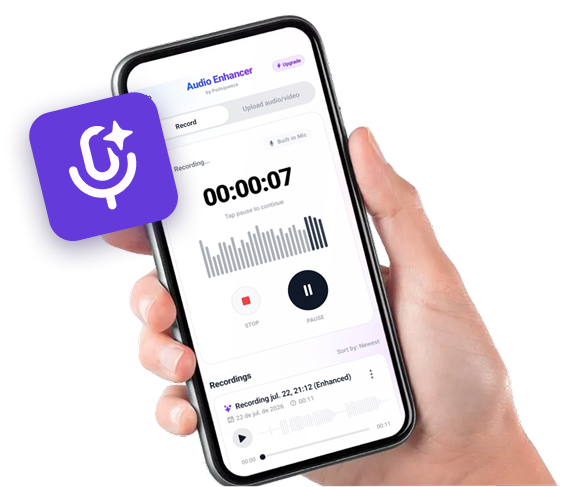
Available as app for android
Record on your phone.
Sound like you're in a studio.


Hear the Difference
Compare the original audio with the AI-enhanced version
Podcast with Background Noise
Original audio with background noise
Recording with Echo
Original audio with background noise
Audio with Irregular Volume
Original audio with background noise
Ready to enhance your audio?
Audio Cleanup Features
Everything you need to fix rough recordings

Noise Removal
Eliminate background and ambient sounds
Echo & Reverb Fix
Reduce room echo from phone recordings
Volume Normalization
Even out loud and quiet sections
Voice Clarity
Make muffled speech easier to understand
Video Audio Cleanup
Fix sound in video files, not just audio
Quick Processing
Cloud AI delivers results in minutes
Recordings You Can Clean Up
Noisy podcast recordings?
Remove background noise and balance volume across your episode.
- ✓AI noise removal
- ✓Built-in Android recorder
- ✓Echo and reverb reduction
- ✓Download or use on web
Muffled voice memos?
Improve clarity and loudness on quick phone recordings.
- ✓AI noise removal
- ✓Built-in Android recorder
- ✓Echo and reverb reduction
- ✓Download or use on web
Interview audio with echo?
Reduce room reverb and make every speaker sound closer and clearer.
- ✓AI noise removal
- ✓Built-in Android recorder
- ✓Echo and reverb reduction
- ✓Download or use on web
Video clips with bad sound?
Clean up the audio track in videos from your Android gallery.
- ✓AI noise removal
- ✓Built-in Android recorder
- ✓Echo and reverb reduction
- ✓Download or use on web
CLEAN UP ANY RECORDING
The easiest way to clean up audio recordings on your phone
Fix noisy recordings automatically
Background chatter, room tone, wind, and static disappear with AI processing. Your voice stays clear and natural.
Works on any recording source
Phone memos, interview recordings, podcast episodes, and video audio — clean them all in one app.
No manual editing required
Skip Audacity and complex tools. Upload, enhance, preview, and download — that's the entire workflow.
SIMPLE ANDROID WORKFLOW
How to clean up an audio recording
1. Get the app or use the web
Download Audio Enhancer on Android, or click Continue on Web to upload from any device.
2. Upload your recording
Select the audio or video file you want to clean up. Supported formats include MP3, WAV, M4A, and MP4.
3. Let AI clean it up
AI removes noise, echo, and volume issues. Preview the result and download your cleaned recording.

FREQUENTLY ASKED QUESTIONS
FAQ
Is cleanup instant?
Processing typically takes a few minutes depending on file length. Cloud AI handles the heavy work.
Can I clean up multiple files?
Yes. Subscription plans include multiple conversions per month for regular creators.
What if I'm on desktop?
Use Continue on Web to clean up recordings in your browser without the Android app.
Contact
For questions, feedback, or feature requests email support@podsqueeze.com.