Video Audio Enhancer App
Fix bad sound in videos from your Android phone — AI improves dialogue, removes noise, and balances volume
Need a video audio enhancer app? Upload videos from your Android gallery and let AI clean up dialogue, remove background noise, and normalize volume — without re-editing your entire video timeline.


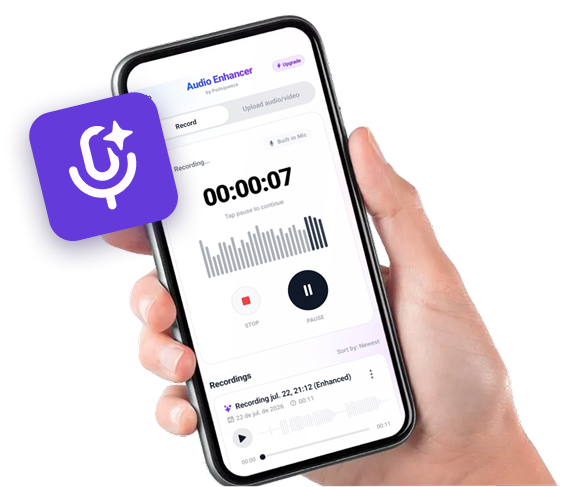
Available as app for android
Record on your phone.
Sound like you're in a studio.


Hear the Difference
Compare the original audio with the AI-enhanced version
Podcast with Background Noise
Original audio with background noise
Recording with Echo
Original audio with background noise
Audio with Irregular Volume
Original audio with background noise
Ready to enhance your audio?
Video Audio Enhancement Features
Improve sound in videos from your Android phone
Video File Support
Upload MP4, MOV, and common video formats
Dialogue Enhancement
Improve voice clarity in video audio
Noise Removal
Remove background sounds from video tracks
Echo Reduction
Fix room echo in mobile video recordings
Volume Normalization
Balance quiet and loud sections
Download Enhanced Audio
Get improved audio ready for any platform
Who Uses a Video Audio Enhancer App?
YouTubers filming on phone?
Fix echo and background noise in vlogs without reshooting.
- ✓AI noise removal
- ✓Built-in Android recorder
- ✓Echo and reverb reduction
- ✓Download or use on web
TikTok and Reels creators?
Clean up voiceovers and talking-head clips recorded on Android.
- ✓AI noise removal
- ✓Built-in Android recorder
- ✓Echo and reverb reduction
- ✓Download or use on web
Educators recording lessons?
Make lecture videos easier to hear with AI volume and clarity improvements.
- ✓AI noise removal
- ✓Built-in Android recorder
- ✓Echo and reverb reduction
- ✓Download or use on web
Anyone with bad phone video audio?
Salvage usable content from recordings made in noisy or echoey rooms.
- ✓AI noise removal
- ✓Built-in Android recorder
- ✓Echo and reverb reduction
- ✓Download or use on web
FIX VIDEO SOUND ON ANDROID
Improve video audio quality with AI on your phone
Enhance audio in video files
Upload MP4, MOV, and other video formats from your phone. AI processes the audio track and returns improved sound.
Fix dialogue and voiceovers
Remove echo, background noise, and muffled speech from vlogs, tutorials, and social clips recorded on mobile.
No video editing skills needed
You don't need to open a video editor. Upload, enhance audio, and download — the AI handles the sound cleanup.
SIMPLE ANDROID WORKFLOW
How to enhance video audio on Android
1. Download the app
Install Audio Enhancer and Recorder from Google Play.
2. Upload your video
Select a video from your Android gallery. The app extracts and processes the audio track.
3. Enhance and download
AI removes noise and improves dialogue. Preview the result and download enhanced audio.

FREQUENTLY ASKED QUESTIONS
FAQ
Can I enhance video audio on the web?
Yes. Click Continue on Web to upload video files from any device and enhance the audio in your browser.
Does it work for long videos?
Processing time depends on file length. Subscription plans support podcast-length and longer files.
Do I need a video editor?
No video editing skills required. The app handles audio enhancement automatically.
Contact
For questions, feedback, or feature requests email support@podsqueeze.com.