Free Audio Editing Software
A free browser alternative to desktop audio editing software — improve quality with AI
Skip heavy desktop audio editing software. This free online tool improves audio quality with AI — removing noise, fixing volume, and enhancing clarity. For full editing features like transcript-based cuts and silence removal, try AudioEditor.pro.


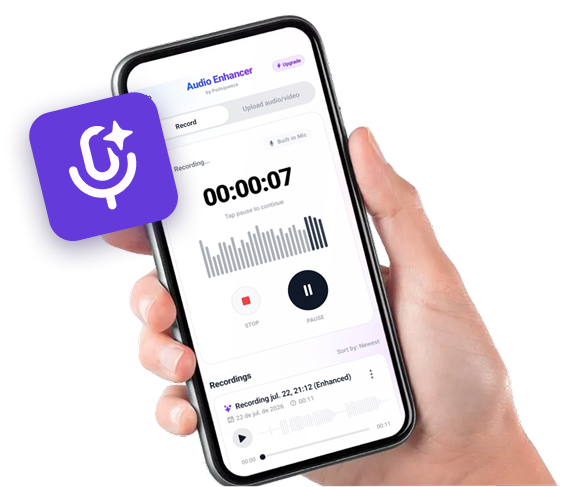
Available as app for android
Record on your phone.
Sound like you're in a studio.


Hear the Difference
Compare original recordings with AI-enhanced audio
Podcast with Background Noise
Original audio with quality issues
Recording with Echo
Original audio with quality issues
Audio with Irregular Volume
Original audio with quality issues
Want to improve your own audio?
Complete Audio Improvement Features
Everything you need to improve audio quality in one place
Noise Removal
Automatically remove background noise from recordings
Volume Normalization
Balance uneven audio levels across your recording
Echo Reduction
Reduce room echo and reverb for clearer sound
Voice Enhancement
Improve vocal clarity and intelligibility
Multi-Format Support
Works with MP3, WAV, M4A, and video files
Fast Processing
Get improved audio in minutes, not hours
Audio Improvement for Every Creator
Whether you record podcasts, interviews, or voiceovers, we can help
Tired of complex audio editing software?
Remove background noise, balance levels, and enhance vocal clarity so every episode sounds professional.
- ✓Automatic noise removal
- ✓Volume normalization
- ✓Voice clarity enhancement
- ✓Professional podcast sound
Need a lightweight free alternative?
Clean up interview recordings with AI noise removal and voice enhancement for clear conversations.
- ✓Interview noise cleanup
- ✓Multi-speaker level balancing
- ✓Clear dialogue enhancement
- ✓Fast online processing
Want AI instead of manual editing?
Polish voiceover recordings for YouTube, ads, and courses with AI clarity enhancement.
- ✓Voiceover clarity boost
- ✓Background noise removal
- ✓Natural voice preservation
- ✓All video formats supported
Need free tools for podcast production?
Improve any recording by removing noise, balancing levels, and enhancing overall audio quality.
- ✓Universal format support
- ✓AI-powered cleanup
- ✓No editing skills needed
- ✓Professional-quality output
AI-POWERED AUDIO IMPROVEMENT
Free software-quality results in your browser
No installation or updates
Unlike traditional audio editing software, everything runs in your browser. No downloads, license keys, or system requirements.
AI does the heavy lifting
Automate noise removal, volume normalization, and clarity enhancement — tasks that take hours in traditional editing software.
Dedicated editor when needed
For waveform editing, transcript cuts, and silence removal, AudioEditor.pro provides a full browser-based editing experience.
SIMPLE WORKFLOW
How to improve audio without desktop software
1. Upload your audio file
Upload any audio or video file. We support MP3, WAV, M4A, and more. No software installation required.
2. Let AI improve your audio
Our AI removes background noise, balances volume, reduces echo, and enhances voice clarity automatically.
3. Download polished audio
Download your improved file in minutes. For transcript-based editing, cutting, or silence removal, try AudioEditor.pro.

FREQUENTLY ASKED QUESTIONS
Audio improvement and editing explained
How does AI audio improvement work?
AI analyzes your recording and automatically removes noise, normalizes volume, reduces echo, and enhances voice clarity — delivering professional results without manual editing.
What is AudioEditor.pro?
AudioEditor.pro is a browser-based audio editor built by Podsqueeze. Upload a recording, cut by transcript, remove silences and filler words, enhance audio quality, and export polished audio without installing desktop software.
Can I improve audio without editing experience?
Yes! Upload your file and AI handles the cleanup. No audio engineering skills or complex software required.
Frequently Asked Questions
Looking for an online version?
Try our audio editor online — works entirely in your browser.
Want a free option?
See our free audio editor to improve audio quality at no cost.
Editing podcasts specifically?
Check our podcast audio editor for podcast-focused audio improvement.
Contact
For questions, feedback, or feature requests email support@podsqueeze.com.