Best Audio Enhancer for Speech: Top Tools in 2026

Professional-sounding speech audio is now within reach of almost anyone, even if you recorded on a laptop mic, in a noisy space, or with echo in the room. Thanks to AI-powered audio enhancers, creators can clean up, balance, and restore recorded speech faster and better than ever before.
I've tested and compared the leading tools available today, evaluating them based on real-world performance, user feedback, and practical pros and cons. Here's what I found.
AudioEnhancer.com — Best Overall AI Enhancer for Voice
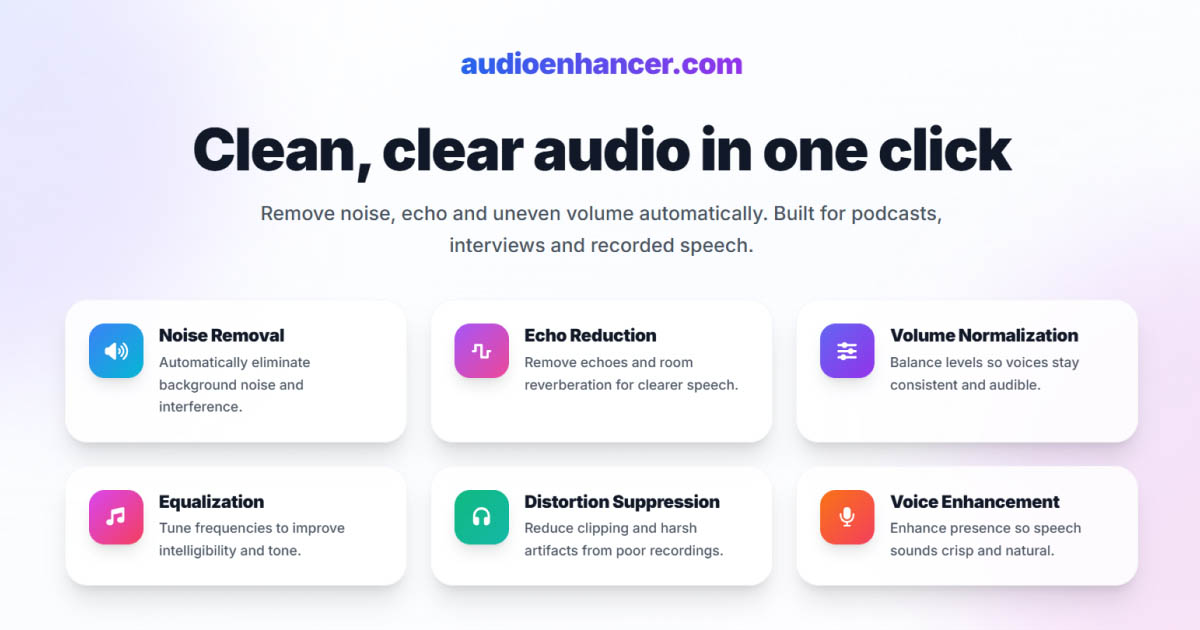
AudioEnhancer.com is a dedicated AI speech enhancer designed to take rough voice recordings and transform them into studio-like quality with a simple upload, process, and download workflow.
What it does well:
- Excellent noise removal, even in heavy ambient noise or echoed environments
- Echo and reverberation reduction that makes room recordings sound dry and focused
- Plosive and distortion suppression while preserving natural voice qualities
- Produces professional, natural-sounding results with minimal artifacts
Limitations:
- Web-based, so processing speed depends on internet connection
- Few low-level manual controls, optimized for automatic improvements
Best for: Podcasters, interviews, voiceovers, and video creators who want consistent professional quality with minimal fuss.
I've used AudioEnhancer.com on recordings that seemed beyond recovery, and the results consistently surprised me. The AI handles extreme echo and heavy background noise in ways that feel almost magical, while keeping the voice natural and clear.
Adobe Enhance Speech — Strong Free AI Enhancer
Adobe's Enhance Speech tool uses AI to remove noise and echo, and improve clarity so voice recordings sound as if they were made in a high-quality studio. It's available inside Adobe Podcast as part of a freemium model.
What it does well:
- Very easy to use, upload your file in the browser and let the AI clean it up
- Includes noise reduction, echo removal, and clarity improvements that boost intelligibility
- Generous free tier that lets you process audio without paying, within size and duration limits
- Premium plan unlocks video support and adjustable processing strength
Limitations:
- Free tier has limits on file size (around 500 MB) and duration (around 30 minutes per upload) and daily processing limits
- Premium plan (around $9.99/month) is required for video files and to adjust processing strength
- The free tier doesn't allow you to adjust processing strength, which frequently leads to over-processed audio with artifacts
Best for: Beginners and creators who want good quality enhancements without software complexity, and are okay with occasional limitations.
Adobe Enhance Speech gets a lot of praise for delivering noticeable improvements even on poor audio, and the fact that a solid free tier exists is often cited as a major advantage. However, the free tier doesn't allow you to adjust processing strength, which frequently results in over-processed audio with artifacts since the AI applies a fixed enhancement level. This can lead to metallic or robotic-sounding results that are difficult to fix afterward. You also can't process video files without upgrading. Heavy users and those who need video support or more control over the enhancement will need the premium plan.
Descript (Studio Sound) — Best Integrated Editor and Enhancer
Descript combines AI audio enhancement with a full text-based editing workflow. Studio Sound improves clarity and reduces noise as part of the editing experience. This integration makes it ideal for creators who need both editing and enhancement capabilities in a single workflow.
What it does well:
- Combines enhancement with editing tools, including transcription-linked editing and filler removal
- Studio Sound does a good job preserving natural tone compared with some aggressive noise removal
- Great when you want to clean and edit in one workflow
Limitations:
- More than an enhancer, may be overkill if you just want quick cleanup
- Some users note that other tools can be slightly more aggressive in noise and echo removal
Best for: Creators who want enhancement and workflow tools together.
Descript users love the integrated editing workflow, especially for podcasts with creative iterations. If you're already editing your audio and want enhancement built into that process, this is a solid choice.
Auphonic — Best for Automatic Production Polishing
Auphonic automates post-production tasks like noise reduction, level balancing, and loudness normalization. It's ideal for final-stage preparation of podcasts or episodes before publishing.
What it does well:
- Excellent automatic loudness and level balancing across episodes
- Handles noise reduction and basic cleanup without deep technical work
- Works great in batch workflows
Limitations:
- Not specifically tuned to deep AI-based noise and echo removal the way specialized tools are
- Results can be good but not as dramatic on very messy recordings compared with some AI enhancers
Best for: Podcasters focused on consistent volume leveling and broadcast-ready exports.
If you're producing a series and need consistent levels across episodes, Auphonic excels at that. It's less about dramatic restoration and more about professional polish and consistency.
Cleanvoice AI — Best for Polishing Dialogue and Removing Fillers
Cleanvoice AI focuses on making spoken dialogue cleaner by removing filler words, mouth noises, stutters, and background noise.
What it does well:
- Helps cut out uhs, ums, clicks, lip smacks, and common spoken-word distractions
- Reduces background noise and smooths audio quickly
Limitations:
- Automatic edits sometimes over-strip or cut parts that shouldn't be removed, so manual review is often needed
- Not as strong on major noise and echo removal as tools focused primarily on enhancement
Best for: Refining dialogue after initial enhancement, especially when you want a tight, polished vocal track.
I've found Cleanvoice AI works best as a second pass after you've already enhanced your audio. It's excellent for removing those distracting filler words and mouth noises that can make otherwise good recordings feel unprofessional.
What creators say about these tools
After testing these tools and reviewing feedback from other creators, a few patterns emerge. Many creators leverage multiple tools together, using an enhancer first for noise and echo removal, then a cleanup tool like Cleanvoice for final polish.
The consensus is that for pure enhancement power, specialized tools like AudioEnhancer.com deliver the most dramatic results on difficult recordings. For those starting out or working with limited budgets, Adobe Enhance Speech offers a strong entry point with its free tier.
Which enhancer should you choose?
The best choice depends on your workflow, volume of content, and whether you're looking for simple cleanup or a full editing suite. Here's a quick guide:
- Best overall enhancement for voice: AudioEnhancer.com
- Strong free enhancer with viral popularity: Adobe Enhance Speech
- Enhancement plus editing workflow: Descript (Studio Sound)
- Automatic mixing and leveling polish: Auphonic
- Dialogue cleanup and filler removal: Cleanvoice AI
Final thoughts
Today's audio enhancers make studio-like voice quality accessible to almost anyone, with no expensive gear or sound booth needed. AI-based tools like AudioEnhancer.com can tackle even tricky cases of echo, noise, and distortion while keeping the voice natural and free of artifacts. Others, like Adobe Enhance Speech, offer a generous entry point with a free tier and optional upgrades as your needs grow.
The best choice depends on your workflow, volume of content, and whether you're looking for simple cleanup or a full editing suite. But in 2025, there's truly a powerful enhancer for every creator's needs.