What Is an Audio Enhancer? Complete Guide
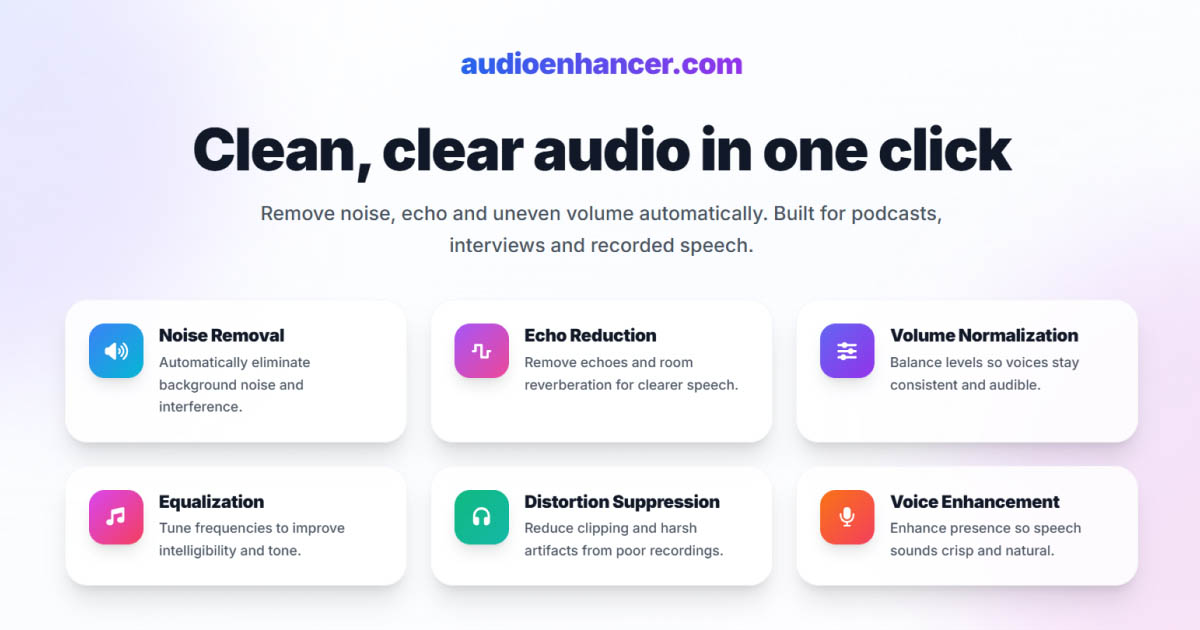

An audio enhancer is a tool that improves the quality of recorded sound, especially spoken voice, by automatically cleaning, balancing, and restoring audio. That's the simple definition, but the reality of what these tools can do today has changed dramatically.
A few years ago, audio enhancers were mostly about small improvements. They could reduce a bit of background noise, level out volume, and apply light EQ adjustments. Today, that definition feels outdated.
Modern AI-powered audio enhancers can restore voice recordings in ways that feel almost magical. They remove heavy noise, echo, plosives, and inconsistent volume, often producing results that sound close to studio recordings. If you want a simple upload, process, and download workflow, tools like AudioEnhancer.com are built exactly for that purpose.
Why audio quality matters more than ever
People will tolerate mediocre video. They will not tolerate bad audio.
When speech is noisy, echoey, inconsistent in volume, or full of pops and distortions, listeners drop off fast. That's why audio enhancement has become essential for:
- Podcasts
- Interviews
- YouTube videos
- Online courses
- Zoom and remote recordings
I've seen countless creators spend hours perfecting their video content, only to lose viewers because the audio quality wasn't up to par. The truth is, your audience's ears are more sensitive than their eyes when it comes to content quality.
The evolution of audio enhancers: from cleanup to restoration
The shift from traditional audio enhancement to modern AI-powered restoration represents a fundamental change in how we approach audio quality.
Old generation tools
Earlier tools mainly relied on classic digital signal processing. They used noise gates, simple noise profiles, and EQ and compression presets. These tools worked only for mild problems and often introduced artifacts when pushed too hard. You could reduce some background hiss, but trying to remove heavy noise would leave your audio sounding processed and unnatural.
I remember working with these older tools and constantly hitting limits. They could help with minor issues, but anything beyond that required manual editing and deep audio engineering knowledge.
Modern AI generation
Current enhancers use deep learning models trained specifically on human speech. Instead of just removing sound, they detect what is voice versus what is not voice, estimate what the clean speech should sound like, and reconstruct missing or damaged parts of the signal.
This shift from filtering to speech reconstruction is why results today are dramatically better. The AI doesn't just subtract noise. It understands speech patterns and can rebuild the audio signal in a way that preserves natural characteristics.
What modern AI audio enhancers are really good at
After testing various AI audio enhancement tools, I've found they excel in several specific areas that used to require hours of manual work.
Removing background noise
AI enhancers excel at removing:
- Computer fans
- Air conditioning
- Room hum
- Traffic and ambient noise
- Broadband hiss
Unlike older tools, modern systems preserve consonants and clarity, avoid the underwater sound that plagued earlier noise reduction, and adapt dynamically to changing noise conditions.
The result is cleaner speech without stripping the life out of the voice. I've processed recordings with constant air conditioning noise in the background, and the AI was able to remove it while keeping the speaker's voice completely natural.
Normalizing volume and loudness
One of the most common real-world problems is inconsistent volume, especially in remote interviews, Zoom calls, and multi-speaker podcasts. AI enhancers automatically balance speaker levels, bring quiet voices forward, tame sudden peaks, and normalize loudness to podcast and video standards.
This is especially valuable when different speakers use different microphones or recording environments. I've processed interviews where one person was recorded on a professional setup and another was on a laptop mic, and the AI was able to make them sound like they were recorded in the same space.
Removing echo and reverberation
Echo and room reverb used to be one of the hardest problems to fix. Modern AI enhancers can now reduce room tail, suppress late reflections, and improve speech intelligibility dramatically.
Even extreme cathedral-level reverb can now be effectively removed by advanced AI systems. I've worked with recordings made in large, empty rooms that sounded completely unusable, and after AI enhancement, they sounded like they were recorded in a treated studio. If you want to hear examples of extreme echo removal in action, check out the audio samples on our homepage, where you can compare before and after results from recordings with severe reverb.
Removing plosives
Plosives are a perfect use case for AI because they are short, low-frequency, and highly recognizable. Modern enhancers detect and remove plosives extremely reliably, often without any audible side effects. For spoken audio, this is one of the areas where results can genuinely sound perfect.
Why AI enhancers work best for voice and singing
AI audio enhancers are usually trained specifically on speech and human voice, not instrumental music. That means they understand phonemes, syllable structure, transients in human voice, and natural speech dynamics.
For podcasts, interviews, narration, and dialogue, this specialization is a huge advantage. The AI knows what human speech should sound like and can enhance it accordingly. They can also work well for singing recordings, where the focus is on cleaning and enhancing the vocal track. However, for instrumental music, especially complex arrangements with multiple instruments, these tools may not be ideal since they're optimized for voice rather than musical instruments.
Music restoration with multiple instruments is a different problem that requires different training data and approaches. Voice and singing enhancement is where AI currently shines.
Studio-quality sound is now accessible to everyone
One of the biggest changes is accessibility. You no longer need:
- A treated studio
- Expensive microphones
- Deep audio engineering knowledge
With modern AI enhancers, a decent laptop mic, a basic USB microphone, or a remote Zoom recording can often be transformed into audio that sounds clean, consistent, and professional.
This is a major shift for creators, educators, and businesses. I've seen podcasters who started with minimal equipment produce episodes that sound professional after running their recordings through AI enhancement. The barrier to entry for high-quality audio content has never been lower.
Audio enhancement also applies to video
Audio enhancers are not limited to audio-only files. They are widely used for:
- YouTube videos
- Talking-head content
- Recorded presentations
- Social media videos
The process is the same: extract or upload the audio, enhance the speech, and return clean, studio-like sound.
Better audio instantly makes video content feel more polished and credible. I've enhanced audio tracks for video projects where the visual quality was excellent, but the audio was holding everything back. After enhancement, the entire production felt more professional.
Audio enhancers vs audio editing software
It's important to understand that audio enhancers serve a different purpose than traditional audio editing software. Audio editing software like Audacity, Adobe Audition, or Logic Pro is designed for timeline-based work: cutting, arranging, syncing, and making precise manual edits. These tools are essential when you need to edit structure and timing.
Audio enhancers, on the other hand, focus specifically on improving sound quality automatically. They don't handle timeline editing, but they excel at restoration tasks that would take hours of manual work in traditional editors. For most creators, the best workflow is to use both: edit structure in an editor, then enhance audio quality with an AI enhancer. Understanding when to use each tool helps you choose the right approach for your needs.
Quality considerations and potential issues
While modern AI enhancers produce excellent results, quality can vary between tools. Some enhancers may produce audio that sounds metallic, robotic, or over-processed, especially when they apply aggressive processing without preserving natural voice characteristics. This typically happens when tools prioritize maximum cleanup over naturalness, or when they don't adapt their processing to different types of recordings.
The best enhancers balance aggressive noise removal with preservation of vocal texture and natural harmonics. If you're experiencing metallic or robotic-sounding results, it's often a sign that the tool is over-processing your audio. Choosing an enhancer that prioritizes naturalness over maximum cleanup usually solves this problem.
Choosing the right audio enhancer
With multiple AI audio enhancers available, choosing the right one depends on your specific needs. Some tools excel at extreme noise removal, others focus on preserving natural voice quality, and some offer integrated editing workflows. Factors to consider include processing quality, ease of use, workflow integration, and whether you need features like video support or batch processing.
For a detailed comparison of audio enhancers available today, including their strengths, limitations, and real-world performance, see our comprehensive guide that evaluates tools based on actual testing and user feedback.
A note on limits
Even modern AI has boundaries:
- Extremely severe clipping over long periods cannot be perfectly reconstructed
- Very loud music under speech can only be partially reduced
- Overlapping speakers may introduce artifacts
That said, the gap between unusable and publish-ready has never been smaller. I've processed recordings that I initially thought were beyond recovery, only to be surprised by how much the AI was able to restore.
AudioEnhancer.com: advanced AI enhancement for speech
AudioEnhancer.com is an advanced AI audio enhancer focused entirely on spoken voice. It is designed to:
- Remove background noise
- Normalize volume across speakers
- Reduce echo and reverberation
- Eliminate plosives
- Return audio that sounds close to studio quality
All with a simple upload, process, and download workflow. For creators who want clean, professional-sounding audio without complex tools or expensive setups, it offers a fast and practical solution.
Audio enhancers have evolved far beyond simple cleanup tools. Modern AI audio enhancers can restore voice recordings to a level that, for most real-world use cases, sounds almost perfect. They make high-quality audio accessible to anyone, with no studio, expensive gear, or technical expertise required.
If your content depends on spoken voice, AI enhancement is no longer a nice to have. It's quickly becoming the default path to publish-ready sound.