The Best tools to enhance audio and sound studio quality in 2026

In 2026, achieving professional-quality audio is more accessible than ever. Whether you're recording podcasts from home, cleaning up field interviews, or polishing voiceovers, the right enhancement tool can transform mediocre recordings into studio-grade sound.
The challenge isn't finding tools that work, but choosing the one that matches your workflow, budget, and quality expectations.
This guide surveys the leading audio enhancement tools available today. Each tool takes a different approach to improving sound quality. Some use aggressive AI voice resynthesis to rebuild audio from scratch. Others focus on conservative processing that preserves the original character of your voice.
Some excel at removing background noise, while others specialize in leveling, mastering, or removing verbal tics.
The best tool for you depends on what you're working with and what you need to achieve. Below, we'll explore each tool's strengths, limitations, and ideal use cases. At the end, you'll find quick recommendations based on common scenarios and intents.
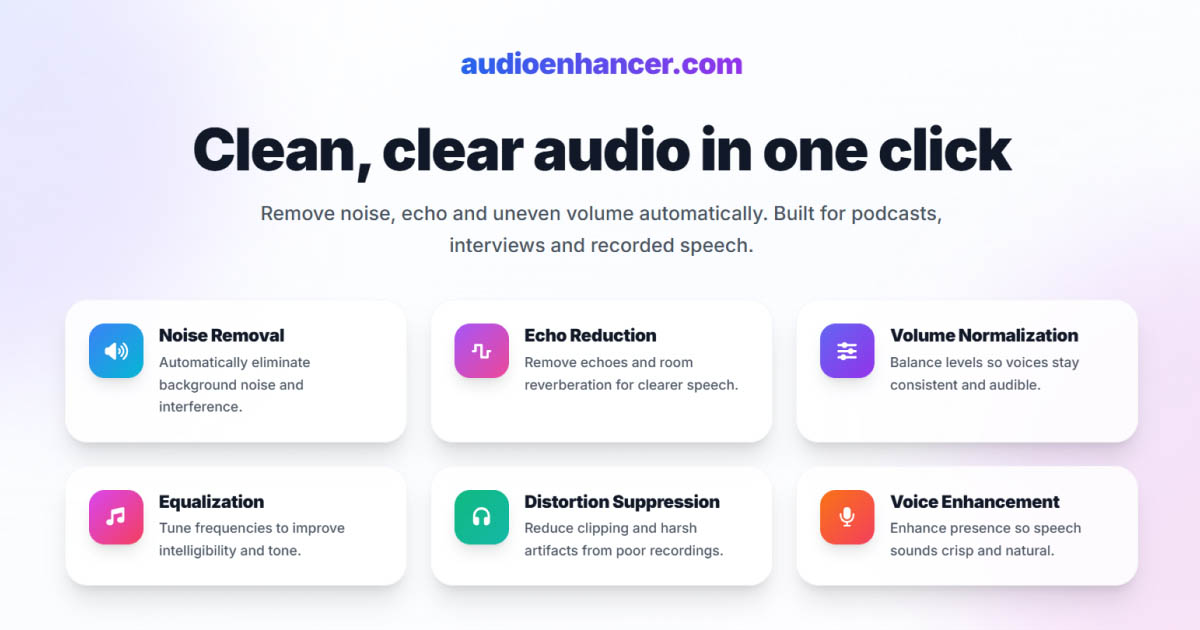
AudioEnhancer.com
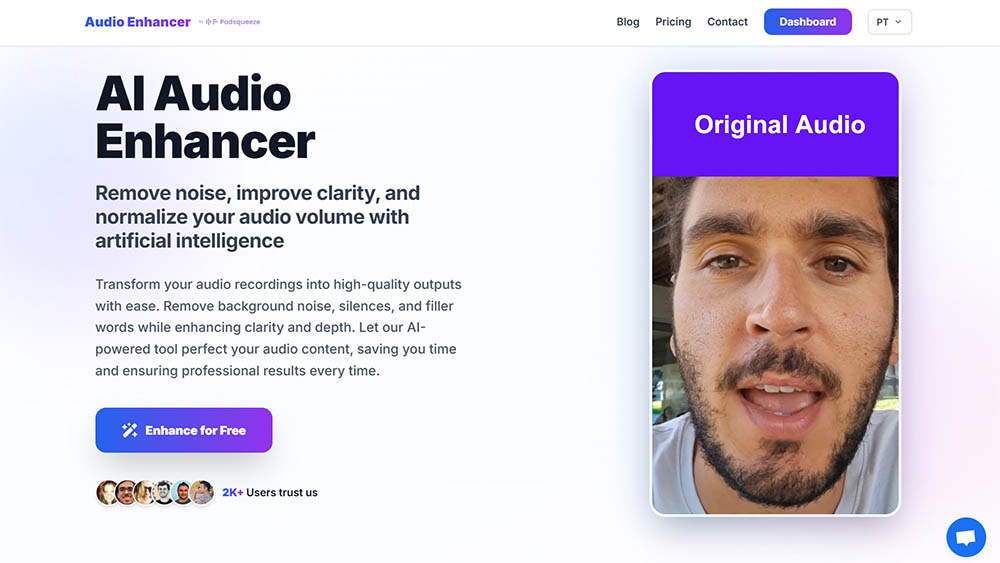
AudioEnhancer.com is an AI-powered audio and video enhancement platform designed to clean, balance, and professionalize sound quickly and directly. The focus is on a simple flow: upload, process, and download, without unnecessary features or technical complexity.
What it does well: I found it handles severe background noise, intense reverberation, clipping, plosives, and major volume imbalances very well, as long as the original voice is faithful. It works consistently with recordings made using:
- Dedicated microphones
- Portable recorders
- Phone microphones
The processing prioritizes preserving human timbre, avoiding robotic voices, metallic sound, or digital artifacts common in aggressive resynthesis approaches.
It's particularly effective in content with multiple speakers, ensuring consistent and intelligible levels throughout the entire recording.
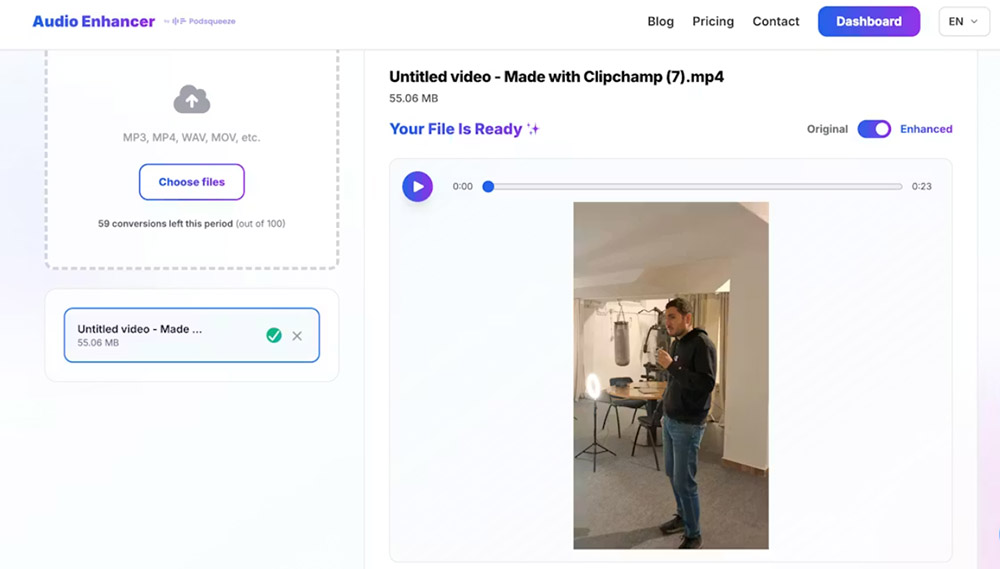
The exclusive focus on input → processing → download makes the tool ideal if you need immediate results, without complex dashboards or long workflows.
It supports both audio and video files, making it useful for content destined for YouTube, social media, video interviews, or UGC.
The dashboard is minimalist and easy to use, designed for users who want to solve a specific problem without a learning curve.
The predictable and consistent behavior makes the tool suitable for recurring use by creators and professionals who value stability and naturalness.
Where it struggles
-
AudioEnhancer.com isn't the best option for reconstructing highly degraded or compressed voices. Examples include phone call recordings or audio with severe spectral information loss.
-
The tool is results-oriented and doesn't offer detailed manual fine-tuning of parameters. This may limit advanced audio engineering users.
-
It focuses exclusively on sound improvement. It doesn't include editing, transcription, or content repurposing features, which may require additional tools in other workflows.
Best for
AudioEnhancer.com is an extremely reliable tool for cleaning and professionalizing audio and video in real recording conditions.
It's especially recommended when:
- Recording conditions weren't ideal (echo, noise, clipping)
- The goal is to get studio sound quickly
- The priority is simplicity, predictability, and naturalness
It's not a tool for "artificial miracles," but rather a robust and stable audio cleaner, designed for content creators and professionals who need consistent and natural results without technical friction.
Adobe Podcast Enhance Speech
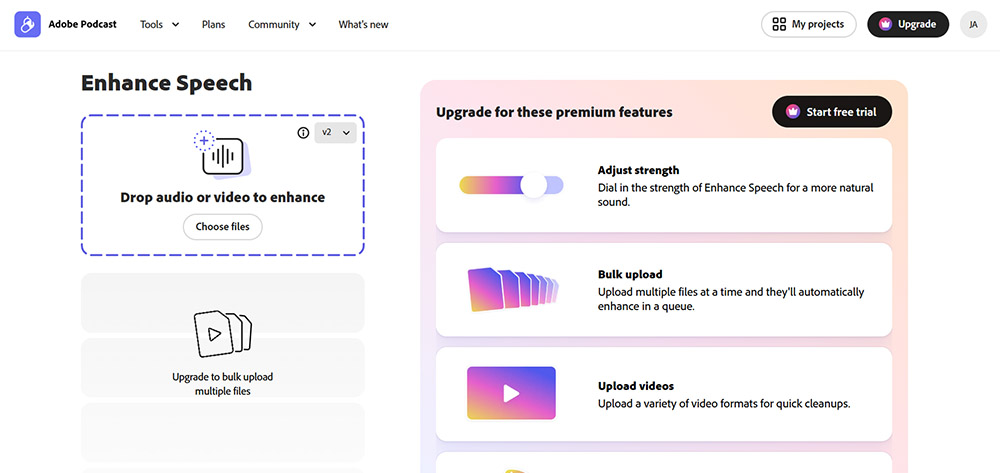
Adobe Podcast Enhance Speech (formerly Project Shasta) is a browser-based tool that uses deep learning models to transform low-quality voice recordings into audio that sounds like it was captured in a professional studio.
The technology relies on voice resynthesis, where the AI doesn't just filter noise but generates a new voice that mimics the original speaker's timbre.
What it does well: I found it genuinely impressive for recovering audio recorded in impossible environments. This includes:
- Noisy convention halls
- Hotels with unstable Wi-Fi
- Busy streets with heavy traffic
It excels at removing specific types of noise including wind, industrial fans, vacuum cleaners, construction machinery, and background music. The tool can isolate the main speaker even when other voices overlap.
It's surprisingly effective at repairing clipped audio that suffered from microphone gain overload. The interface is drag-and-drop simple with zero learning curve.
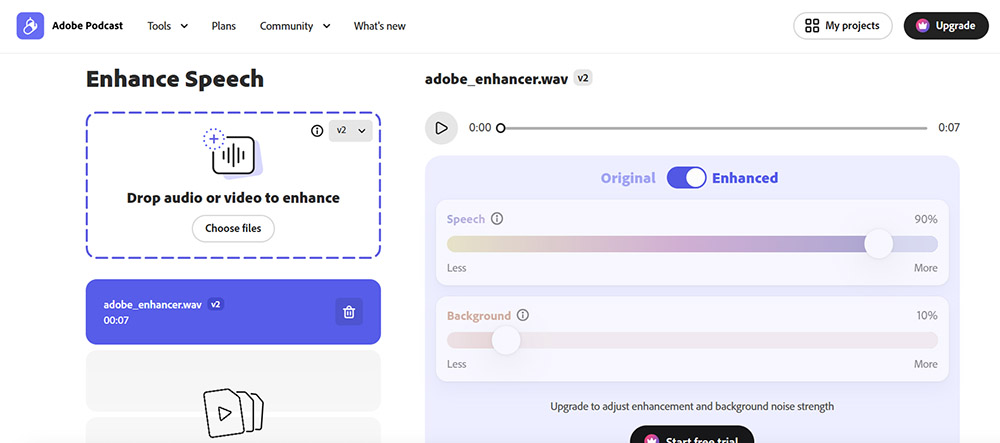
It works particularly well with AirPods recordings due to the constant distance between microphone and mouth. It can make a 20€ microphone sound like a 100€ one.
Where it struggles
-
The same resynthesis technology that enables miracles can fail, making voices sound metallic, robotic, or strangely compressed. This happens especially in version V2 or when the original noise is too dense.
-
In extreme noise conditions, the AI may invent phonemes or words the speaker never said. It can even mix random voices into the final file.
-
The web version is vastly superior to the Premiere Pro integration, which is limited to avoid blocking user hardware. This forces many professionals into constant round-trip workflows.
-
It's not suitable for music or complex soundscapes where you want to preserve ambience. The tool tries to clean everything that isn't human speech, which can ruin artistic intent.
-
The free version offers no settings to adjust, leaving you at the mercy of automatic results.
Best for
-
Content creators who need to salvage recordings from poor environments
-
Podcasters working with inconsistent recording setups
-
Anyone who needs quick improvements without technical knowledge
I found the sweet spot is setting the intensity slider (available in premium) to around 70-75% for the most natural sound. Alternatively, pre-processing audio with light noise reduction before applying Adobe's enhancer at 20-40% works well for final polish.
Auphonic
Auphonic is a cloud-based audio post-production service that operates under a philosophy of "natural polish." Unlike tools like Adobe Podcast that use aggressive voice resynthesis, Auphonic focuses on technical optimization of the original recording.
It's widely considered the "gold standard" for automated mastering among podcasting veterans. When comparing Auphonic vs Adobe, the differences in technical control versus aggressive resynthesis become clear.
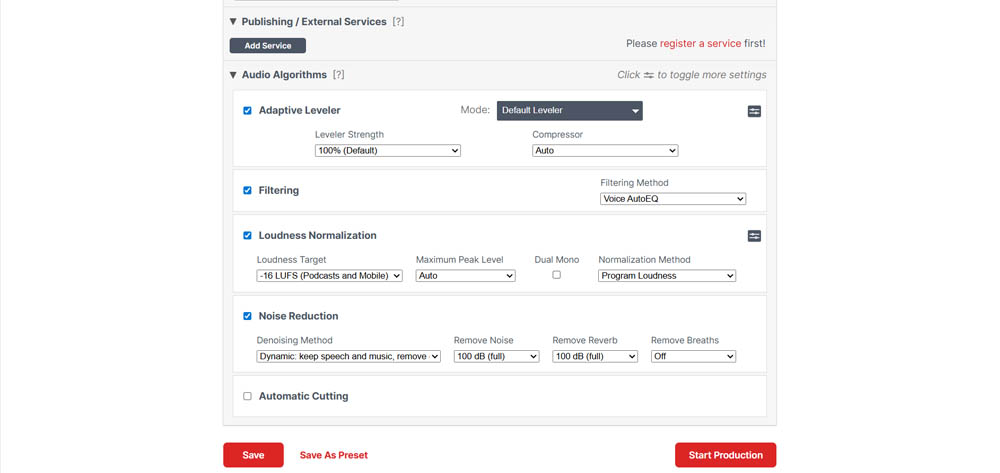
What it does well: The Intelligent Leveler is the most acclaimed feature. The AI analyzes files and automatically balances levels between different speakers, music, and sound effects. This eliminates the need for complex manual compressors.
It's the go-to tool for ensuring audio meets platform loudness standards. This includes -14 LUFS for YouTube or -16 LUFS for podcasts, preventing audio from sounding too quiet or distorted.
The Crossgate feature is highly praised for recordings with multiple microphones in the same space. It drastically reduces mic bleed when one person's voice is captured by another's microphone.
The breath removal algorithm is considered one of the few on the market that works well enough to save hours of manual editing. It also effectively removes mouth clicks and awkward silences.
Bandwidth Extension can restore life to muffled or low-fidelity recordings by restoring frequencies that seemed lost.
A unique advantage is that Auphonic doesn't charge additional credits if you decide to change settings on an already-processed file and run production again.
It offers a set-and-forget workflow with support for:
- Metadata
- Automatic show notes
- Chapters
- Transcription via Whisper in multiple languages
Where it struggles
-
Auphonic isn't a "miracle resynthesis" tool like Adobe. If the original audio has extremely aggressive background noise or reverberation, Auphonic may not isolate the voice as well as newer generative models.
-
The web platform design feels dated compared to modern 2025 visual standards.
-
Although it offers many parameters, some features are linked. For example, the DeBreath algorithm is sometimes tied to the noise reducer, preventing independent adjustment of breath reduction levels versus broadband noise.
-
The free version (which offers 2 hours per month) adds a small audio jingle at the beginning or end of processed productions.
-
While it handles music well in certain settings, its main strength is dialogue. It may not be ideal for pure music mastering.
Best for
Podcasters who want professional, honest sound that maintains natural voice dynamics without sounding like an AI robot. It's ideal when:
- The original recording is already reasonable
- There are multiple speakers who need consistent volume
- Creators produce weekly episodes and want identical sonic signatures across all content
If you find Adobe Podcast too artificial or notice metallic artifacts, Auphonic offers the perfect balance.
Cleanvoice AI
Cleanvoice AI is a cloud-based post-production tool distinguished by its focus on micro-acoustic problems and verbal tics. Unlike tools that only reduce ambient noise, Cleanvoice is specifically trained to identify and remove biological elements and hesitations that make podcast listening tiring.
What it does well: It's highly effective at automatically detecting filler words like "ums," "ahs," and "like" in more than 20 languages.
It's described as "more surgical" than competitors like Descript in eliminating:
- Mouth sounds
- Clicks
- Lip smacks
- Heavy breathing
One of its greatest strengths is that it doesn't alter the original voice timbre as aggressively as Adobe Podcast. It maintains the natural cadence of speech, removing only distractions. The CleanVoice vs Adobe comparison demonstrates how each tool handles different noise scenarios.
Instead of applying automatic destructive changes, Cleanvoice presents you with a timeline of suggestions. This allows you to accept or reject edits individually.
It efficiently identifies and removes "dead air" (prolonged silences), improving content rhythm without manual effort.
Where it struggles
-
When confronted with substantial background noise or very noisy environments, the processed audio can start to sound "pixelated," "crumpled," or with a strange autotune effect.
-
Despite offering transcription services, I found the results disappointing. Free software like Audacity achieves superior results in this specific area.
-
It's an audio cleaning tool, not a complete editor. It lacks robust video editing features or real-time processing capabilities.
-
The pricing model based on processing hours (e.g., 11€ for 10 hours) can become expensive if you produce large volumes of content.
-
Although it removes noise, it's less effective than Adobe or iZotope RX at handling reverberation in large rooms. In some cases, I preferred the original audio over a "pixelated" result.
Best for
-
Podcasters with verbal tics
-
Creators who hesitate frequently or have prominent mouth sounds that would be impossible to edit manually in long episodes
-
If you hate the synthetic/robotic sound of Adobe and prefer to maintain the original texture of your voice. You'll need to accept that background noise may not be totally eliminated in exchange for greater fidelity
-
Editors who want AI to do the heavy lifting of finding errors but want final say over what gets cut through the suggestion system
Descript Studio Sound
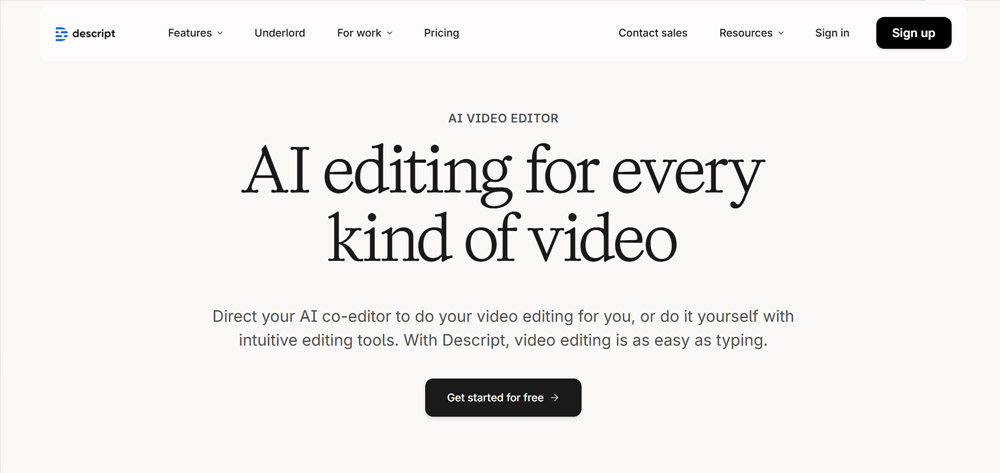
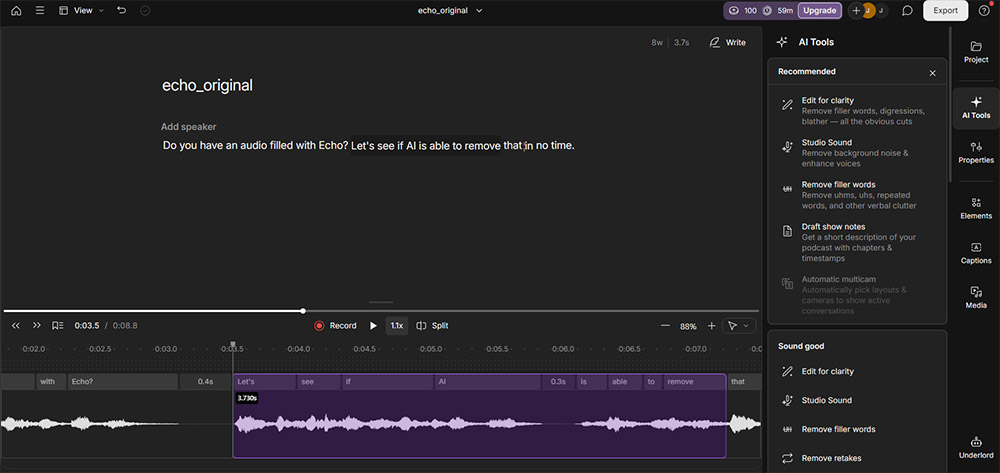
Descript Studio Sound isn't just a simple audio processor, but a central feature within an all-in-one editing ecosystem that redefines productivity through text-based editing.
I found myself impressed by its efficiency, though I have some specific criticisms of the processed sound texture.
What it does well: The biggest advantage cited is Studio Sound's integration into a workflow where you edit audio as if it were a text document.
The ability to remove background noise, echo, and reverberation with one click, while simultaneously eliminating filler words ("ums" and "ahs") and silences, is considered an unbeatable solution for production speed. The Descript vs Adobe comparison highlights how workflow differences impact real-world usage.
In my testing, Descript surprised me by transforming audio from "bad to good" and "good to excellent." I'd rate it 8/10 for clarity and its ability to make mediocre recordings usable for professional content.
The tool can recover audio recorded in deplorable conditions, like through "tin cans" or old phones, making it audible and clean.
Beyond pure audio improvement, Descript offers tools like Overdub (voice cloning to fix errors without re-recording) and AI-powered eye contact adjustment. These complement the video and podcast creation experience.
Unlike some automatic tools, Descript allows adjusting the Studio Sound effect intensity through a slider. This gives you freedom to find the balance between total cleanliness and naturalness.
Where it struggles
-
A recurring criticism is that Studio Sound can generate a "metallic" or "robotic" sound. This happens especially when the algorithm is forced to process files with heavy noise or when applied at maximum intensity.
-
I noticed the AI struggles when processing accents where words blend together. This results in abrupt cuts, audio "jumps," or unwanted digital stuttering.
-
Although the voice cloning feature is technically impressive, the generated voice can sound emotionless or "dead." This requires constant human supervision to avoid an overly synthetic tone.
-
Unlike 100% cloud tools (like Adobe), Descript uses your computer's processing power. This means tool performance and application speed depend directly on your available hardware.
-
The export and publishing process feels strange and sometimes slow, especially compared to simple web tools.
-
The professional plan subscription (around $35 USD/month) is prohibitive for occasional or independent creators. You might end up seeking free or pay-per-use alternatives.
Best for
-
Production teams that value speed and already use the platform for multi-camera video editing or transcription
-
However, if you're seeking maximum acoustic fidelity or working with non-American accents, listen carefully to results. The tool may sacrifice naturalness in favor of absolute cleanliness
-
It's seen as a tool that "gives audio a facelift," but if misused, can remove the "heart" and emotion from human speech
DaVinci Resolve Voice Isolation
DaVinci Resolve Voice Isolation is a revolutionary tool that brought professional audio restoration capabilities directly into the video editing workflow. I found its performance comparable to dedicated, expensive software, though there are specific technical limitations.
What it does well: The most impressive characteristic is that it's a one-knob solution. I achieved results superior or equivalent to iZotope RX Advanced (an industry standard) with much less effort and manual adjustment.
The tool has proven capable of isolating voices in extremely noisy environments. Examples include interviews recorded next to jet engines or in noisy restaurants with background music and plate clatter.
It's particularly effective at removing constant drones and white noise, like engine sounds, making audio perfectly usable.
Unlike tools like Adobe Podcast (web version), Voice Isolation is built into the software. This eliminates the need to export and import files for cleanup.
I found the tool introduces fewer artifacts than other AI solutions, maintaining more natural voice while removing noise.
Where it struggles
-
One of the most criticized points is that the feature is not available in the free version of DaVinci Resolve. It requires purchase of the Studio license.
-
Since processing occurs in real time, I noticed audio can "get stuck" or stutter during timeline preview. This happens especially in video segments where the effect has been applied.
-
If intensity is too high, the AI may not distinguish between noise and non-linguistic human expressions. This can end up cutting laughs, screams, or sighs, which may require manual ADR.
-
I noticed the tool introduces unwanted tonal or pitch changes in very short clips (like driving recordings). It occasionally fails to process noise or cuts audio completely.
-
When I tested it with Spanish speakers, the results were poor. This suggests the AI model may have been trained predominantly with English voices.
Best for
-
Video editors who want professional audio cleanup without leaving their editing environment
-
Adobe Podcast Enhance is still slightly superior at pure noise removal, but Resolve wins for the convenience of being integrated into the video editor
-
While RX offers surgical control (de-click, de-plosive, etc.), Resolve is better for speed in pure dialogue isolation. It feels like "magic" for its simplicity
-
Waves' plugin offers better real-time performance without hardware "hiccups," though Resolve's isolation is top-tier
Krisp
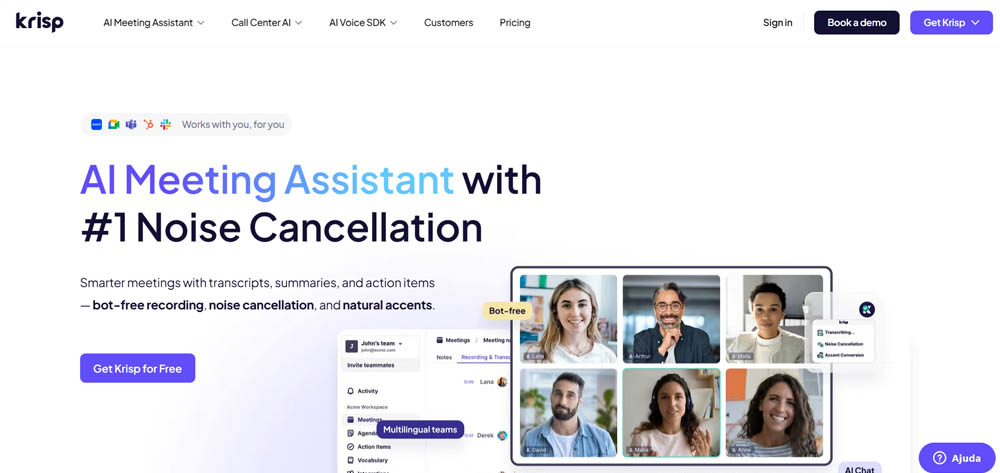
Krisp is widely recognized as the undisputed leader in real-time audio processing. It's differentiated from most other tools that operate only in post-production. Understanding the real-time vs post-production trade-offs helps determine which approach fits your workflow.
It acts as a layer between the microphone and recording or conferencing software, using AI to clean audio before it's even recorded.
What it does well: It's excellent at instantly removing unpredictable domestic and urban noises. Examples include children laughing, dogs barking, or doors slamming.
The tool is designed to have low CPU consumption, ensuring the computer doesn't lose performance during video calls or simultaneous streaming sessions.
It works with more than 800 applications, including:
- Zoom
- Microsoft Teams
- Skype
- OBS
- DAWs like Audacity
In addition to cleaning your voice (microphone), Krisp can also clean audio coming from other participants in the call (speakers), eliminating their background noise.
It includes automatic tools for generating meeting notes and unlimited transcriptions, helping save hours of weekly administrative work.
It offers a generous free plan that provides 60 minutes of processing per day. This is sufficient for occasional creators and professionals in occasional meetings.
Where it struggles
-
The price of aggressive noise removal is degradation of vocal fidelity. Processed audio can sound "thin," with a slight echo or a "flat" and robotic texture.
-
When I tested it in an already quiet environment with a high-quality studio microphone, Krisp tried to "find noise where it didn't exist." This ended up ruining the clarity and natural presence of the voice.
-
Although it offers an accent localization/conversion feature, the results are disappointing. They sound generic and unnatural, failing to capture the essence of the original voice.
-
Being a tool that requires verification, it has limited offline functionality.
-
The transition from lifetime licenses to a monthly subscription model may be less attractive for those who don't use it daily.
Best for
-
Remote workers, streamers, and anyone doing real-time voice work who can't control their environment
-
Use it with caution. It's legitimate for live broadcasts and calls, but for professional recordings that demand "audio nirvana," it's better to record "dirty" sound and process it in post-production with more powerful tools like Descript or Adobe. This avoids the voice sounding too processed right from the source
Eleven Labs Voice Isolator
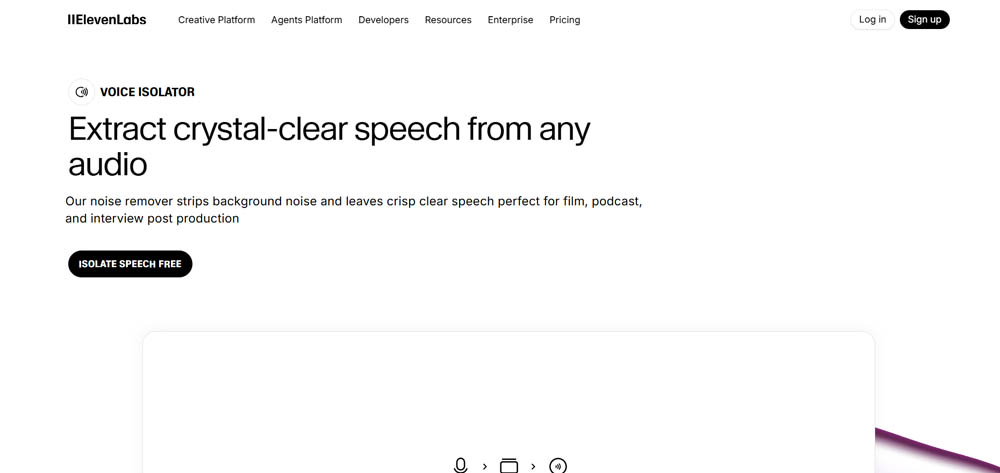
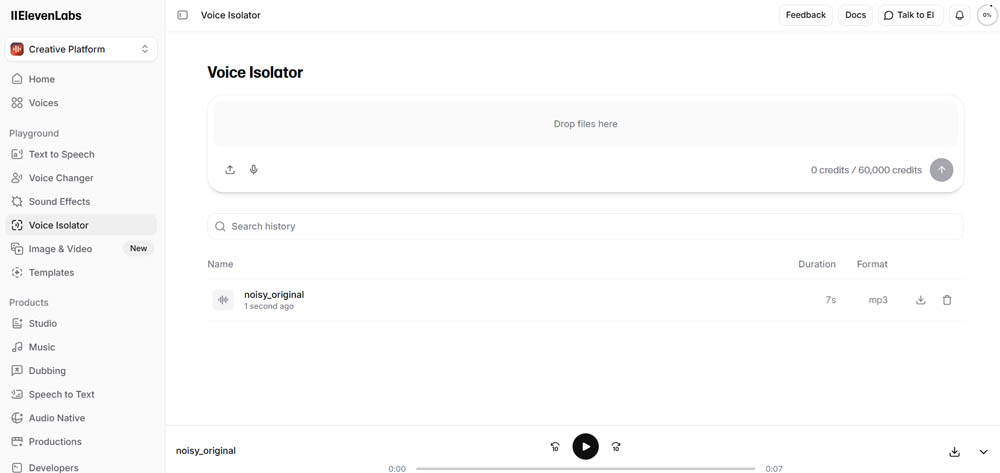
Eleven Labs Voice Isolator is a relatively recent launch in the AI audio processing market. Although less debated than Adobe Podcast, it already collects strong and contrasting opinions in expert communities. The ElevenLabs vs Adobe comparison reveals how each tool approaches voice isolation differently.
What it does well: Timbre preservation is the biggest advantage. I found Eleven Labs superior to both Adobe versions (Web and Premiere) for maintaining the original voice timbre.
While other tools may make voices sound "synthetic" due to aggressive resynthesis, Eleven Labs maintains organic vocal identity while removing what's around it.
It's highly effective at "peeling away" everything that isn't speech. It's perfect if you only need to isolate the speaker in recordings where the voice is well-defined but the background is chaotic.
Like its direct competitors, it focuses on a simplified experience, allowing quick results without deep audio engineering knowledge.
Where it struggles
-
One technical issue I found is that the tool can cause unwanted audio peaks (peaking). This forces you to apply limiters or manual gain adjustments after processing to avoid distortion.
-
Unlike tools like Adobe Podcast, which sometimes "over-clean" (removing even phonemes), Eleven Labs' isolator still lets through some background noise under certain conditions. It's not as "relentless" in total cleanup as you might want.
-
Because it's an isolation tool, it doesn't offer the complete mastering package (like Auphonic) or text-based editing (like Descript). It's seen more as a specialized "cleaning module" than an integral post-production solution.
Best for
-
If you need to save audio where the voice needs to sound as real and human as possible, without the metallic artifacts of Adobe
-
However, you should be prepared to deal with some inconsistency in volume levels (peaks) and accept that isolation may not be 100% silent in extreme noise environments
Riverside.fm
Riverside.fm is widely recognized as one of the leading platforms for high-quality remote recording. It's distinguished from pure audio enhancement tools by being a solution that combines source capture with AI-powered editing capabilities.
What impressed me most is its ability to ensure audio and video sound professional right from the moment of recording.
What it does well: The biggest advantage is local recording on each participant's device. This guarantees files at full resolution (up to 4K in video and WAV in audio), regardless of failures or internet instability during the session.
The tool includes a Magic Audio feature with AI-powered isolation and automatic cleanup. I found this makes a "brutal difference" in vocal clarity, eliminating the need for much manual post-production.
Riverside automatically transforms long episodes into "shorts" for social media (TikTok, Reels) and generates show notes, titles, and optimized descriptions via AI.
Similar to Descript, Riverside introduced an AI feature that adjusts the speaker's gaze so they appear to always be looking directly at the camera. This is a "game changer" for video quality.
It allows editing audio and video simply by deleting sentences from the automatic transcription. I found Riverside's transcription is, in many cases, superior to Descript's.
The service has "top notch" customer support and an active Facebook community where creators share improvements and suggestions.
Where it struggles
-
Although rare, I've heard reports of total loss of recordings or frequent disconnections during sessions.
-
The text editor feels imprecise compared to traditional editing tools. It fails to handle very tight transitions between words, which can leave vocal "trails."
-
Like other AI tools, the model appears to have been trained predominantly with flat American accents. This presents difficulties with denser accents (like Australian), resulting in abrupt audio cuts.
-
Exporting final files and processing AI transcriptions can be slow, especially in long-duration projects.
-
With plans starting at $15-19 monthly, the cost is high for those who don't produce content professionally or regularly.
-
Although some find it intuitive, the internal editor interface feels clunky and difficult to master initially.
Best for
-
Podcasts based on remote interviews where image and sound quality are priorities
-
I use it as a "capture station," but many professionals prefer to export raw files (WAV/MP4) to software like DaVinci Resolve or Adobe Premiere Pro for final editing. This works around Riverside's web editor limitations
-
In summary, it's an "unbeatable recording" tool but with an editor that's still trying to reach the maturity of dedicated software
Podsqueeze
Podsqueeze is presented as an AI-powered podcast production platform that goes beyond simple audio treatment. It focuses on complete workflow automation from sound improvement to content creation for marketing and social media.
What it does well: Like Auphonic, Podsqueeze handles intense background noise, pronounced reverberation, and volume imbalances very well, as long as the original voice is faithful. This includes recordings made with:
- Normal microphones
- Imperfect home environments
- Audio captured by phone
It's particularly strong in scenarios with multiple speakers, ensuring consistent and intelligible volumes throughout the episode. This works even when recording conditions differ between participants.
The enhanced audio maintains the human timbre of the voice without resorting to aggressive resynthesis. This avoids metallic artifacts, robotic voices, or "digital" effects common in other AI tools.
Unlike isolated audio enhancement tools, Podsqueeze's audio enhancer is part of an ecosystem specifically designed for podcasting. It's integrated with:
- Transcription features
- Text-based editing
- Content repurposing
Audio improvement is fully automatic and produces consistent results between episodes. There's no need to fine-tune technical parameters or make audio engineering decisions.
It allows editing audio by removing words directly from the transcription. This is a huge time saver compared to traditional waveform editing.
It stands out for its ability to automatically generate short clips for TikTok, Reels, and YouTube Shorts from long episodes. This facilitates distribution and repurposing of podcast content.
It offers multi-show management, allowing organization of several podcasts in folders with specific settings per show. This simplifies management of multiple shows or clients.
Podsqueeze is a practical and reliable solution for creators who want good results without complex technical workflows.
Where it struggles
-
Podsqueeze is not indicated for reconstructing highly degraded or compressed voices. Examples include phone call recordings or audio with severe spectral information loss. In these cases, voice resynthesis tools may produce more "dramatic" results.
-
The focus is on the final result and not on manual fine-tuning of technical parameters. This may limit audio engineers seeking surgical control over each processing step.
-
Although the audio enhancer is technically solid, its greatest value emerges when used within the complete podcast production and repurposing workflow.
-
If you only need to improve an occasional audio file, without interest in transcription, editing, or repurposing, tools dedicated exclusively to audio enhancing may be a simpler and more direct choice.
Best for
Podcasters or recurring audio content creators, when:
- The recording has a faithful voice even with echo or severe background noise
- There are interviews with multiple speakers and inconsistent volumes
- There's interest in repurposing the episode for clips and social media
For creators whose goal is only to quickly improve an isolated audio file, simpler solutions focused exclusively on audio enhancing may make more sense.
But for podcasters seeking an integrated, consistent, and efficient workflow, Podsqueeze stands out as a solid solution well-tuned to its target audience.
LALAL.AI
LALAL.AI is widely recognized as a tool that started specializing in stem separation (dividing voices from instruments) and evolved into a complete audio processing platform with noise and echo removal capabilities.
What it does well: It's an "insanely powerful" tool for creating audio divisions. It's capable of isolating voices from background music in situations where other tools fail.
I found LALAL.AI can surpass the iZotope RX package (industry standard) when dealing with "truly difficult" or degraded audio.
It's the tool of choice if you need to extract dialogue from "stolen" materials or acquired from external sources with copyright-protected music.
I've used the tool to remove music from commercials already mixed in stereo. This allows creation of new presentation materials (sizzle reels) with clean voices.
The web interface is considered straightforward and easy to use, allowing file uploads and quick results without complex configurations.
Unlike rigid monthly subscriptions, it offers a pay-as-you-go payment model. This is very attractive for creators who only need to clean audio occasionally.
Where it struggles
-
If the tool has to "work too hard" to clean noise or music, the final audio can become strident, metallic, and excessively compressed.
-
After music removal, I noticed a subtle echo may remain in the dialogue. This requires use of additional tools (like reverb reduction in Premiere) to polish the result.
-
In my testing, LALAL.AI occasionally cuts the end of phrases or words, which harms speech fluency.
-
Although it allows previews, downloading processed files requires payment of minute packages.
-
In direct voice cleaning comparisons, LALAL.AI falls below Auphonic in terms of final quality and preservation of natural voice.
Best for
-
Editors who need to extract dialogue from impossible situations
-
Professionals working with copyrighted music that needs removal
-
Anyone facing audio separation challenges that other tools can't handle
-
However, perfection has a price. You must be prepared to deal with some loss of organic fidelity in exchange for vocal isolation that few other tools can achieve
-
It's not necessarily the first choice for daily polishing of a well-recorded podcast, but it's the "secret weapon" for impossible rescues
Quick Recommendations by Intent
Choosing the best tools to enhance audio depends on your specific needs and workflow. Here are quick recommendations based on common scenarios:
Choose AudioEnhancer.com if: You need reliable, natural-sounding audio cleanup without technical complexity. It's perfect when recording conditions weren't ideal but the original voice is faithful, and you want studio-quality results quickly with a simple upload-process-download workflow.
Choose Adobe Podcast Enhance Speech if: You need to salvage recordings from terrible environments, work with inconsistent recording setups, or want quick improvements without technical knowledge. It's ideal for emergency situations rather than primary production methods, especially for high-fidelity content like audiobooks where AI-processed audio may be rejected for sounding "non-human."
Choose Auphonic if: Your original recording is already reasonable and you want professional, honest sound that maintains natural voice dynamics. It's perfect for multiple speakers who need consistent volume, weekly episode producers who want identical sonic signatures, and anyone who finds Adobe Podcast too artificial.
Choose Cleanvoice AI if: You have verbal tics, frequent hesitations, or prominent mouth sounds that would be impossible to edit manually. It's ideal if you hate synthetic/robotic sounds and prefer maintaining original voice texture, accepting that background noise may not be totally eliminated.
Choose Descript Studio Sound if: You value speed and already use the platform for multi-camera video editing or transcription. Be cautious if you work with non-American accents or need maximum acoustic fidelity, as it may sacrifice naturalness for absolute cleanliness.
Choose DaVinci Resolve Voice Isolation if: You're a video editor who wants professional audio cleanup without leaving your editing environment. It requires the Studio license but offers one-knob simplicity that rivals expensive dedicated software.
Choose Krisp if: You need real-time noise suppression for live calls, streaming, or remote work. Use with caution for professional recordings that demand maximum fidelity, as it may degrade vocal quality.
Choose Eleven Labs Voice Isolator if: You need to save audio where the voice must sound as real and human as possible without metallic artifacts. Be prepared to handle volume inconsistencies and accept that isolation may not be 100% silent in extreme noise.
Choose Riverside.fm if: You produce remote interview podcasts where image and sound quality are priorities. Many professionals export raw files to dedicated editors for final work, using Riverside primarily as a capture station.
Choose Podsqueeze if: You're a recurring podcaster who wants an integrated workflow with transcription, text-based editing, and content repurposing. It's less ideal if you only need to improve occasional isolated audio files.
Choose LALAL.AI if: You need to extract dialogue from impossible situations, remove copyrighted music, or face audio separation challenges other tools can't handle. It's your "secret weapon" for impossible rescues, though you may sacrifice some organic fidelity.
Conclusion
The best tools to enhance audio in 2026 offer different approaches to improving sound quality. Some use aggressive AI resynthesis to rebuild audio from scratch. Others focus on conservative processing that preserves original character. Some excel at specific tasks like noise removal, while others provide complete workflows.
The key is matching the tool to your needs. If you're working with severely damaged audio, tools like Adobe Podcast or LALAL.AI can perform miracles. If you want natural polish without robotic artifacts, Auphonic or Podsqueeze offer better balance. For real-time scenarios, Krisp leads. For integrated video workflows, DaVinci Resolve or Riverside.fm excel.
Many professionals use multiple tools in their workflow, applying each where it performs best. The most important factor isn't finding the single "best" tool, but understanding what each tool does well and when to use it.
Start with your biggest pain point, test a few options with your actual recordings, and build your toolkit from there.