Audio Editing vs AI Enhancer: Which to Use?

When working with recorded speech, whether it's podcasts, interviews, voiceovers, or video audio, it's easy to mix up two very different goals. Editing audio means cutting, arranging, and fixing timing on a timeline. Improving audio quality means cleaning, restoring, and enhancing sound with AI audio enhancers.
These are not the same problem, and they don't require the same tools. Understanding this distinction makes the choice between audio editing software and AI audio enhancers much clearer.
Audio editing software: built for timeline work
Traditional audio editing software like Audacity, Adobe Audition, Logic Pro, or Reaper is designed primarily for timeline-based editing. This is where these tools shine:
- Cutting and trimming clips
- Arranging sections of an episode
- Syncing audio with video
- Removing or moving specific moments
- Precise manual edits
If your goal is to edit structure, you need dedicated editing software. There's no real alternative for that.
I've spent countless hours in timeline editors rearranging podcast segments, cutting out mistakes, and syncing audio to video. For that kind of work, nothing beats a proper editing tool.
Where traditional editors struggle: audio restoration
While audio editors can improve sound quality, doing so well requires deep knowledge of EQ, compression, noise reduction, de-reverb, and gain staging. It also takes time-consuming trial and error and careful listening to avoid artifacts.
For most people, this leads to over-processed audio, metallic or underwater artifacts, and inconsistent results across recordings. In theory, tools like Audacity can do some of what AI enhancers do. In practice, they assume you're already a sound engineer.
I've watched creators spend hours trying to manually remove background noise in Audacity, only to end up with audio that sounds worse than when they started. The learning curve is steep, and the results are often disappointing unless you have professional audio engineering skills.
AI audio enhancers: built for sound quality, not timelines
AI audio enhancers exist for a different purpose. They restore and improve audio quality automatically. They don't focus on timelines or manual edits. They focus on answering one question: what should clean, natural human speech sound like?
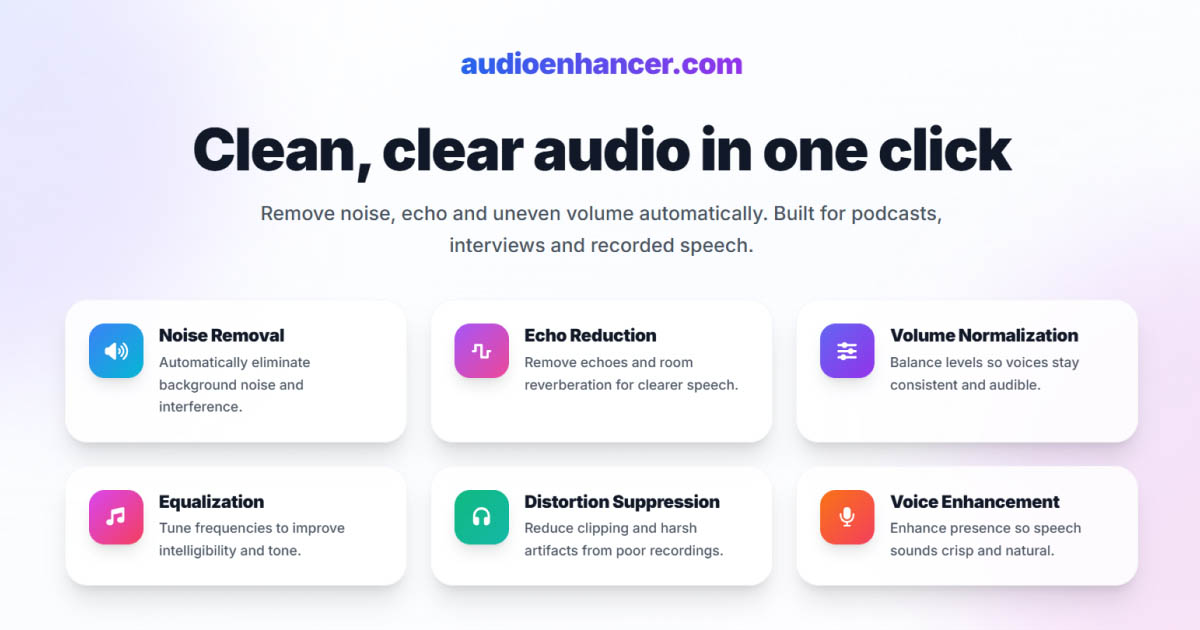
Modern AI enhancers are exceptionally good at:
- Removing background noise
- Reducing echo and reverberation
- Balancing volume across speakers
- Removing plosives and distortions
- Cleaning up audio from video and remote recordings
All of this happens without requiring technical skills. For restoring and improving sound quality, AI enhancers are unbeatable for the vast majority of users.
I've processed recordings that sounded completely unusable and watched them transform into professional-quality audio in minutes. The AI understands speech patterns in ways that manual processing simply can't match.
Editing and enhancing are complementary, not competing
In real workflows, these tools often work together. You edit structure in a timeline editor, enhance audio quality with an AI enhancer, and do light final tweaks if needed.
Some modern editors, like Descript, already integrate AI enhancement directly into the editing workflow, which shows how central AI enhancement has become. But even without integration, many creators export raw audio, run it through an AI enhancer, and bring it back into their editor clean and consistent.
This hybrid approach often delivers better results than trying to fix everything manually. I've used this workflow myself: edit the structure first, then enhance the audio quality, and finally make any final adjustments. It's faster and produces better results than trying to do everything in one tool.
If your goal is audio restoration, AI enhancers win
If what you want is to restore poor audio quality, remove echo and room reverb, clean background noise, improve dialogue clarity, or fix podcast or video audio quickly, then using an AI audio enhancer is simply the most effective path. For help choosing the right enhancer for your needs, see our comparison of the top tools available today.
No plugins. No engineering skills. No long learning curve. This is why AI enhancers are rapidly becoming the default choice for creators.
I've seen podcasters who struggled for months trying to learn manual audio restoration finally get professional results in minutes with an AI enhancer. The difference isn't just in time saved, it's in the quality of the results.
AudioEnhancer.com: high-quality AI enhancement for speech
AudioEnhancer.com is a high-quality AI audio enhancer focused specifically on spoken voice. It's designed to:
- Handle difficult recordings with heavy noise or echo
- Preserve the natural tone of the voice
- Clean audio from podcasts, interviews, and videos
- Deliver studio-like results with a simple workflow
For creators who want the best possible sound quality with the least effort, it fits naturally into both simple and professional workflows.
Final takeaway
Use audio editing software when you need to work on structure and timing. Use AI audio enhancers when your goal is to restore and improve sound quality.
These tools serve different purposes, but when it comes to cleaning, restoring, and enhancing spoken audio, AI audio enhancers are the clear winner for the vast majority of people.
You don't need to be a sound engineer anymore to get great-sounding audio. The tools have evolved, and so should your workflow.